Texture pack review

Brixel

Brixel latest build for Minecraft 26.2

Brixel brings a fresh twist to Minecraft with realistic, brick-inspired textures that transform every block into a tiny masterpiece. Created by TeamWabbabrick, this pack captures the playful spirit of bricks while enhancing your gameplay experience.

Platform
Java
Author
TeamWabbabrick
First release
Dec 16, 2024
Latest version verified
26.2

Overview

In-depth

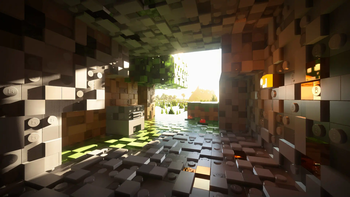
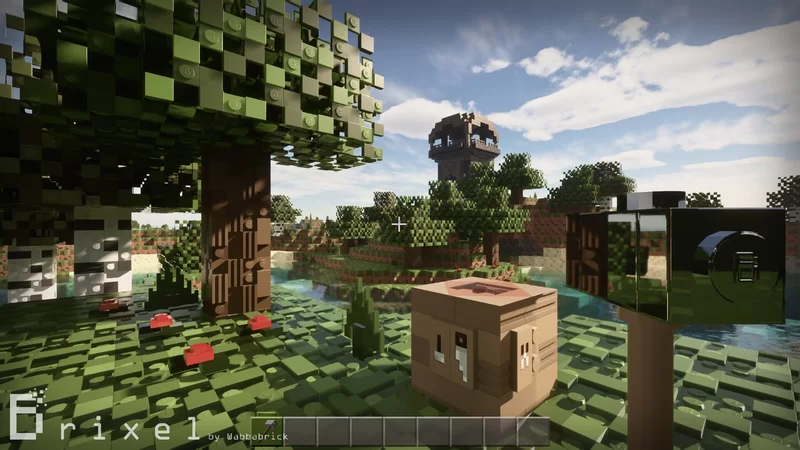
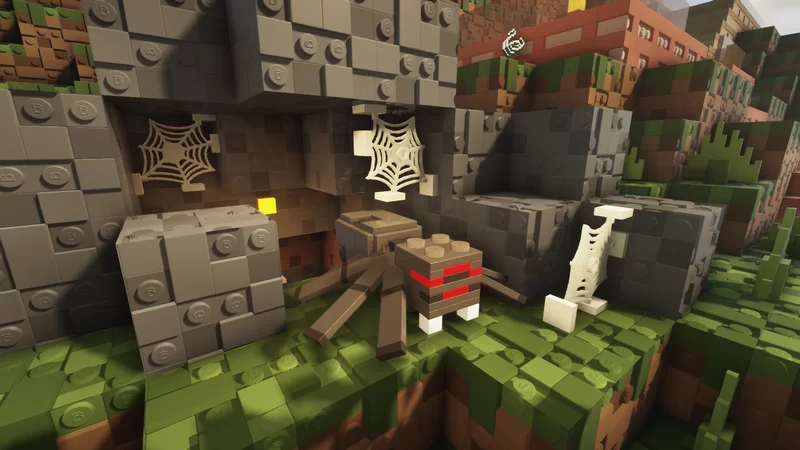
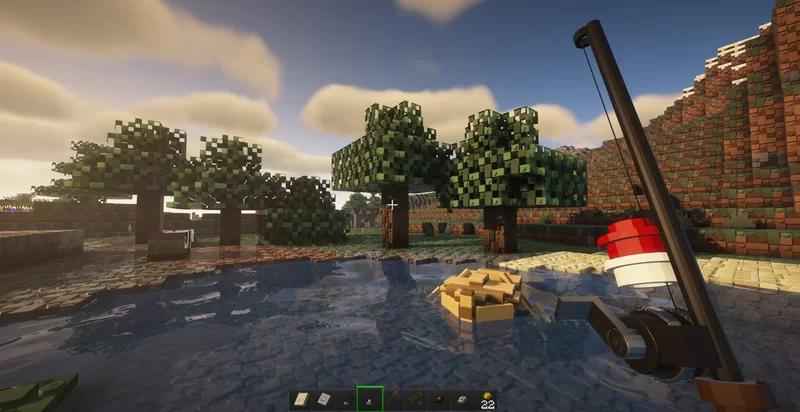
If you're tired of the same old Minecraft visuals, Brixel offers a unique take. Developed by TeamWabbabrick, this texture pack is all about turning your beloved blocks into small, detailed bricks. Imagine a world where every block is crafted from countless tiny elements, resembling a playful brick mosaic that keeps the essence of Minecraft intact.

Brixel not only makes every block look good but also enhances your entire building experience. The 3D elements lend depth and dimension, making your surroundings feel more alive. Plus, you can choose between different resolutions—from 64x to a jaw-dropping 512x—depending on your system’s capability.

One standout feature is its compatibility with BSL Shaders v8.2+. So you can enjoy vibrant lighting and realistic shadows, giving your Minecraft world an extra layer of beauty. And it doesn’t stop there—the pack includes custom sounds that mimic the satisfying noises of bricks being placed or broken, which really adds to the atmosphere.

Every resolution retains the charm of Brixel, so everyone can enjoy its features, regardless of their hardware. Currently, it's 95% complete, with updates rolling out, constantly improving your blocky adventures.

If you’re looking to delve deeper into Minecraft texture packs, check out the extensive collection available at this site. Brixel's creative spin might be the fresh air your game needs, so don't miss out!

Gallery

Screenshots

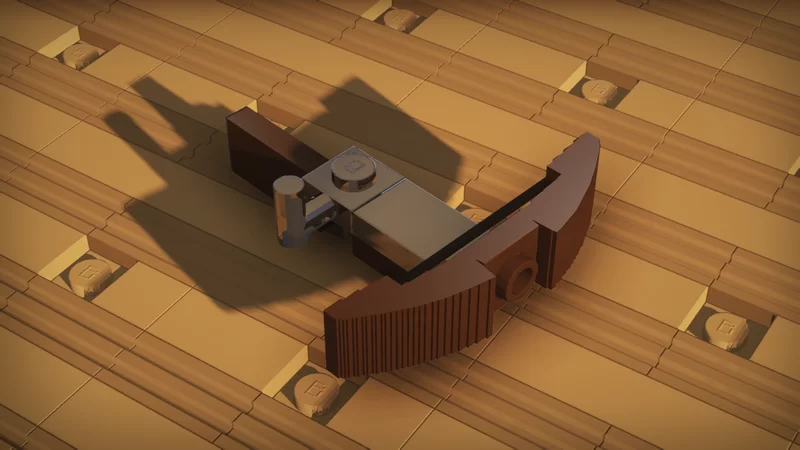
Brixel in game, captured across biomes and lighting conditions.

Brixel realistic Minecraft texture pack screenshot 1Brixel realistic Minecraft texture pack screenshot 2Brixel realistic Minecraft texture pack screenshot 3Brixel realistic Minecraft texture pack screenshot 4Brixel realistic Minecraft texture pack screenshot 5

What you get

Why Brixel?

01

Curated resource pack

Brixel ships as a custom realistic pack that stays crisp at every render distance.

02

Runs standalone

Drops into the vanilla resource pack folder. One ZIP, one profile.

03

Loader compatible

Plays nicely with Minecraft Vanilla. Slot it into a modded profile the same way you would on vanilla.

04

Consistent identity

Colors, edge weight, and pixel language stay coherent across blocks, entities, and UI.

05

Regular updates

TeamWabbabrick keeps the pack in step with new Minecraft snapshots.

06

Free and documented

Distributed under an open license with a full changelog per release.

Downloads

Get Brixel

The 1 most recent Brixel builds, direct mirror links, no ad redirects.

StatusReleaseMinecraftLoaderDateDownload
LatestBrixel v3.25MC 1.21Minecraft VanillaDec 16, 2024Download ↗

Install

How to install Brixel

Vanilla route

  1. 1Download the ZIP for Minecraft 26.2 from the table above.
  2. 2Open Minecraft, then Options, then Resource Packs, then Open Pack Folder.
  3. 3Drop the ZIP into that folder without extracting it.
  4. 4Select Brixel in game, move it to the enabled column, hit Done.

Modded route (Minecraft Vanilla)

  1. 1Install Minecraft Vanilla for Minecraft 26.2.
  2. 2Launch the modded profile once so the resourcepacks folder is created.
  3. 3Drop the pack ZIP into .minecraft/resourcepacks/.
  4. 4Enable the pack from the in game menu and relaunch if needed.

◎ Compatibility

✓ Tested and confirmed working on Minecraft 26.2 and 26.1.2

We ran Brixel on Minecraft 26.2 and 26.1.2 even though the pack was not officially built for these versions. Texture packs typically stay compatible across nearby Minecraft releases, and this one runs as expected.

Also compatible

Troubleshooting

Common problems

Pack shows a red exclamation mark in the resource pack menu.

The pack format does not match your Minecraft version. Grab the build from the downloads table that lists your exact MC version.

Textures look glitchy on entities or items.

Enable Custom Entity Models (CEM) and Custom Item Textures (CIT), both under Video Settings, Details on Optifine.

Pack loads but nothing changes in game.

You dropped it in the wrong folder. Use Options, Resource Packs, Open Pack Folder.

Black screen after enabling the pack.

Older GPU with high pack resolution. Lower render distance, update GPU drivers.

FAQ

Frequently asked questions

Is Brixel free?+

Yes. It ships under an open license, every build in the downloads table above is free.

Do I need Optifine or shaders?+

No, the pack runs on vanilla Minecraft. Optifine unlocks extras like connected textures if you want them.

Does it work on Bedrock?+

No. This is a Java Edition pack.

Which Minecraft versions work?+

Officially: 1.21. Texture packs typically remain compatible with nearby Minecraft versions.

Who maintains it?+

TeamWabbabrick. The changelog lives on each version row in the downloads table.

Ready to install?

Download Brixel and jump in