
Texture pack review

Cobblemon Interface

Cobblemon Interface latest build for Minecraft 26.2

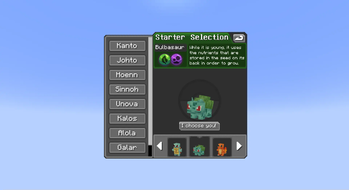
This resource pack redesigns the Minecraft menus and UI to match the aesthetic of the Cobblemon mod, featuring rounded item slots and updated audio cues.

Platform
Java
Author
VinnyStalck
First release
Apr 1, 2023
Latest version verified
26.2

Overview

In-depth

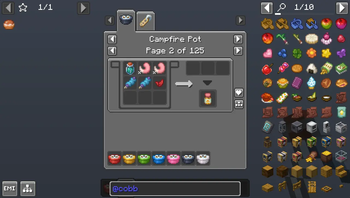
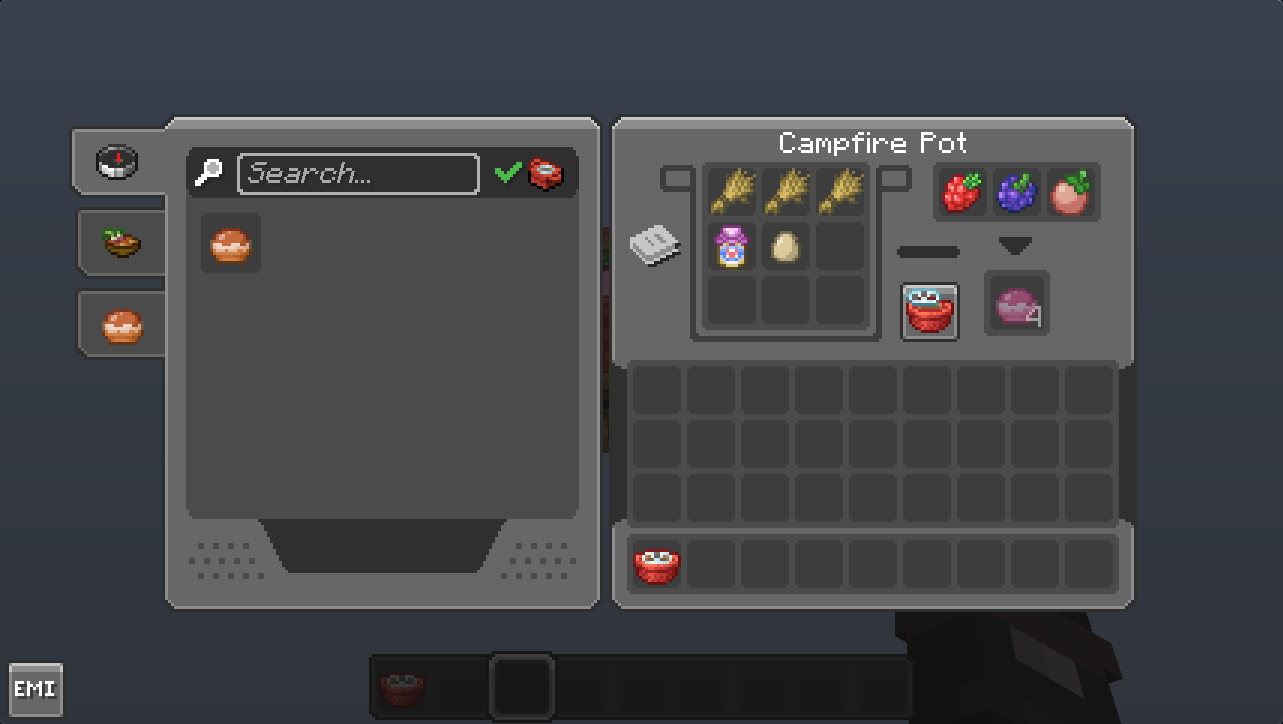
Cobblemon Interface refashions Minecraft menus and user interface elements to match the visual language of the Cobblemon mod. The pack focuses on rounded item slots, a cleaner inventory layout, and revised GUI elements so menus feel consistent with the mod without altering game mechanics. You will notice subtle audio cue changes in places like menu open and button clicks, which aim to match the new aesthetic without being obtrusive.

The pack is made by VinnyStalck and targets players who run Cobblemon or enjoy a softer, rounded interface. It supports a broad span of Minecraft versions, including several 1.19, 1.20, and 1.21 releases. Most of the changes are visual only, so the pack plays nicely with other texture packs that do not modify GUI elements, though layering conflicts can occur if another pack replaces the same files.

Installation is straightforward, and this pack works in both vanilla and modded environments. For users who run Fabric or Forge with mods that alter the UI, placing the pack higher in the resource pack list usually makes its assets take precedence. For a quick browse of other packs, visit our main texture pack directory to compare options and styles. For more mod-focused collections, check the mods category to see complementary packs and related downloads.

What to expect

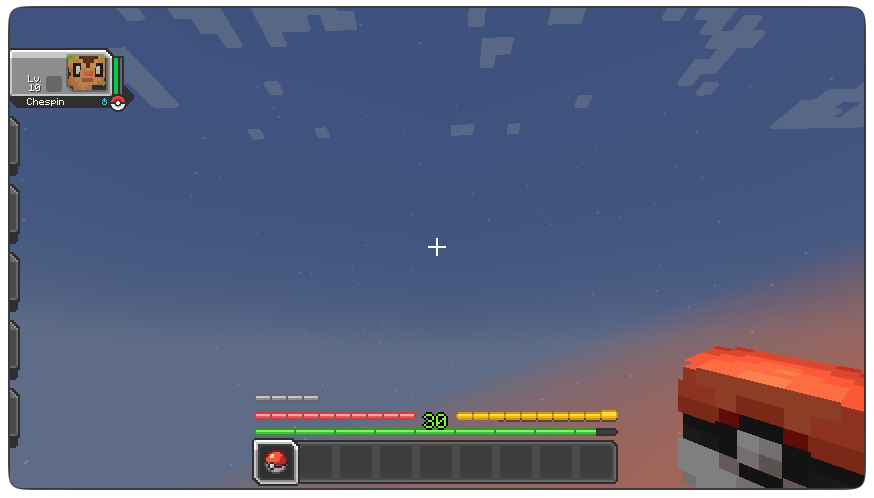
The visual changes are focused on menus, HUD elements, and item slot art, not on block or mob textures. That means your world visuals remain the same while interfaces get a cohesive Cobblemon look. Because this pack targets GUI assets, it tends to have a minimal impact on game performance. If you prefer a fully overhauled game look, combine this UI pack with a separate world or mob texture pack that matches your preferred resolution and style.

Gallery

Screenshots

Cobblemon Interface in game, captured across biomes and lighting conditions.

Cobblemon Interface mods Minecraft texture pack screenshot 1Cobblemon Interface mods Minecraft texture pack screenshot 2Cobblemon Interface mods Minecraft texture pack screenshot 3Cobblemon Interface mods Minecraft texture pack screenshot 4Cobblemon Interface mods Minecraft texture pack screenshot 5

What you get

Why Cobblemon Interface?

01

Cleaner Inventory

Rounded item slots and simplified icons make inventory screens easier to scan and manage during play sessions.

02

Mod-Themed Consistency

The interface matches Cobblemon visual cues, creating a cohesive presentation when you use that mod.

03

Low Performance Impact

Because it only alters GUI assets, the pack tends to avoid heavy performance costs on most systems.

04

Simple Audio Tweaks

Updated menu sounds provide subtle feedback that fits the new interface without being distracting.

05

Broad Version Support

Supports multiple Minecraft 1.19 to 1.21 releases, reducing the need to hunt for a compatible UI pack.

06

Easy Mod Integration

Designed to work alongside mods, with instructions to prioritize the pack when UI assets conflict.

Downloads

Get Cobblemon Interface

The 10 most recent Cobblemon Interface builds, direct mirror links, no ad redirects.

StatusReleaseMinecraftLoaderDateDownload
LatestCobblemon Interface v1.6.0MC 1.21Minecraft VanillaNov 14, 2025Download ↗
ReleaseCobblemon Interface v1.5.1MC 1.20Minecraft VanillaAug 16, 2025Download ↗
ReleaseCobblemon Interface v1.5.0MC 1.21Minecraft VanillaAug 13, 2025Download ↗
ReleaseCobblemon Interface v1.4.1MC 1.20Minecraft VanillaApr 8, 2025Download ↗
ReleaseCobblemon Interface v1.4.0MC 1.20Minecraft VanillaDec 16, 2024Download ↗
ReleaseCobblemon Interface v1.4.0-SNAPSHOTMC 1.20Minecraft VanillaNov 5, 2024Download ↗
ReleaseCobblemon Interface v1.3.0MC 1.20Minecraft VanillaJul 16, 2024Download ↗
ReleaseCobblemon Interface v1.2.0MC 1.20Minecraft VanillaJun 16, 2024Download ↗
ReleaseCobblemon Interface v1.1.1MC 1.20Minecraft VanillaMay 16, 2024Download ↗
ReleaseCobblemon Interface v1.1.0MC 1.20Minecraft VanillaApr 24, 2024Download ↗

Install

How to install Cobblemon Interface

Vanilla route

  1. 1Download the Cobblemon Interface pack file to your computer.
  2. 2Open Minecraft, go to Options, then Resource Packs, and click Open Pack Folder.
  3. 3Move the downloaded pack zip into the opened resourcepacks folder.
  4. 4Back in Minecraft, enable the Cobblemon Interface pack and move it to the top of the list.
  5. 5Restart the game if you notice any UI elements not updating immediately.

Modded route (Minecraft Vanilla)

  1. 1Install Fabric or Forge for your Minecraft version and launch once to create folders.
  2. 2Place the Cobblemon Interface zip into the resourcepacks folder in your .minecraft directory.
  3. 3If using Optifine, install it and enable compatibility options as needed, optively for shader support.
  4. 4When using UI mods, ensure the pack is above conflicting resource packs in the list to take priority.
  5. 5Restart Minecraft after adding the pack to allow mod loaders to pick up new assets.

◎ Compatibility

✓ Tested and confirmed working on Minecraft 26.2 and 26.1.2

We ran Cobblemon Interface on Minecraft 26.2 and 26.1.2 even though the pack was not officially built for these versions. Texture packs typically stay compatible across nearby Minecraft releases, and this one runs as expected.

Troubleshooting

Common problems

Buttons appear misaligned

Move Cobblemon Interface to the top of your resource pack list or disable packs that also change GUIs, then restart Minecraft.

Custom sounds not playing

Check the pack is fully enabled and not overridden by another pack, then restart the game and verify volume settings.

HUD icons look pixelated

Confirm you are not combining this UI pack with a different resolution GUI pack; remove the conflicting pack or use a matching resolution.

Mod UI still shows default art

Some mods replace their own UI; check mod settings and load order, or consult mod documentation to allow external resource packs to override UI textures.

FAQ

Frequently asked questions

What Minecraft versions does Cobblemon Interface support?+

The pack lists support for several 1.19, 1.20, and 1.21 releases, and it usually works on nearby versions even when not explicitly built for them.

Will this pack affect my game performance?+

Because it only changes GUI assets, performance impact is typically minimal, though very low end systems may see small differences.

Can I use this pack on Minecraft Bedrock?+

This pack is designed for Java edition resource packs and is not packaged for Bedrock. Texture packs generally remain compatible with nearby Minecraft versions even when not built for that release.

Do I need Optifine to run Cobblemon Interface?+

Optifine is not required for basic GUI changes, though it can help with other graphical tweaks; texture packs often work across nearby versions even if not built specifically for them.

Is using this pack risky on multiplayer servers?+

Resource packs that only alter local UI are safe for servers, but always avoid packs that change gameplay assets or violate server rules; check server policies before use.

A UI element is not updating after installation, what should I do?+

Try disabling then re-enabling the pack, move it higher in the resource pack list, and restart Minecraft; texture packs generally remain compatible with nearby Minecraft versions even when not officially built for a release.

Ready to install?

Download Cobblemon Interface and jump in