Texture Pack // by zozozrob
Fresh Waystones Texture
Giving the Waystones mod a cleaner look for modern versions
- Latest
- Minecraft 1.21.11
- Updated
- Jul 12, 2026
- Resolution
- —
- Style
- Vanilla+
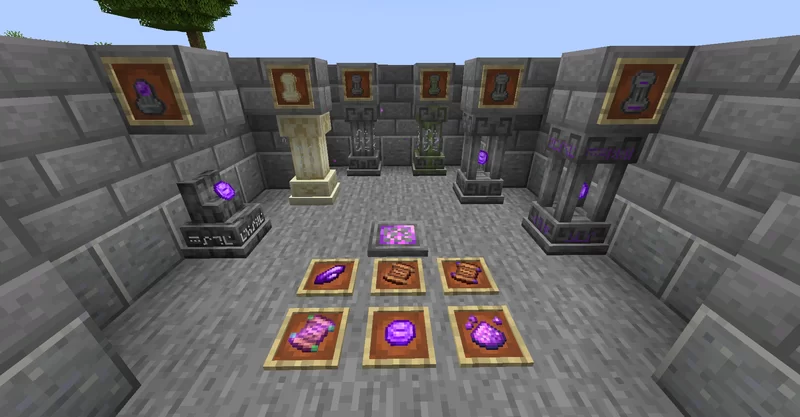
If you have been playing with the Waystones mod for a while, you probably noticed that the default textures feel a bit dated compared to the newer blocks in the game. The Fresh Waystones Texture pack was made to fix exactly that. It does not add new items or change how the teleporting works, but it makes the structures themselves look much more like they belong in a modern world. It is a simple swap that replaces the old designs with something that feels more like vanilla style texture packs you might already be using.
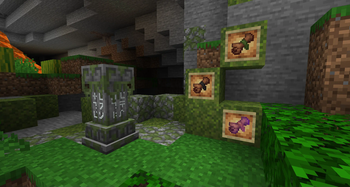
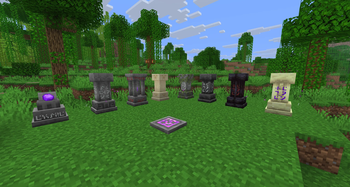
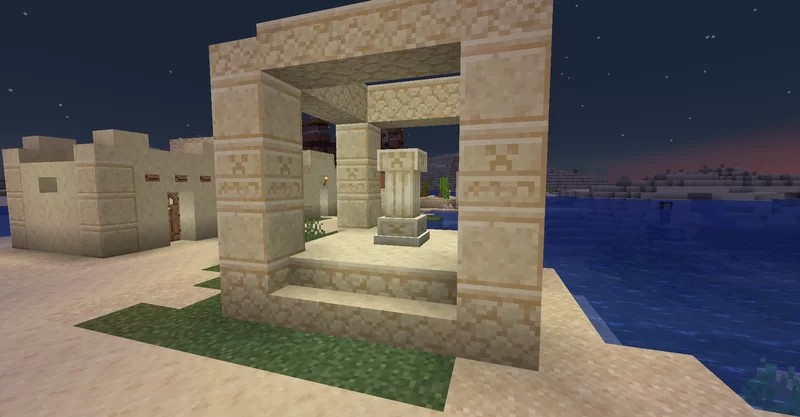
The main focus here is on the stone blocks and the gems. The colors are less harsh and the shading is smoother across the whole model. When you place a waystone in a village or near your base, it blends in with the surrounding terrain instead of sticking out like a sore thumb. The author, zozozrob, kept the core look recognizable so you still know exactly what it is from a distance, but the pixel art is just higher quality overall.
Regarding compatibility, this pack is built for basically every version of 1.20 and 1.21. Since it is a resource pack for a specific mod, you obviously need to have Waystones installed for it to do anything. It runs on the standard Minecraft loader without needing anything fancy. It is a great choice if you are building a modpack and want everything to have a cohesive, polished appearance without losing that classic square feel.
You can grab the files over on Modrinth if you want to try it out. If you are looking for even more ways to change up your world, you can always browse for more packs to find something that matches your specific build style.