Texture Pack // by wimdesigns077
Realism Mats
Transform your world with high-end realistic textures and detailed surfaces.
- Latest
- Minecraft 26.3 / 26.2
- Updated
- Sep 13, 2026
- Resolution
- —
- Style
- Realistic
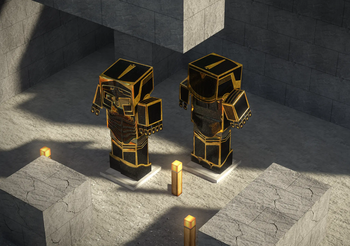
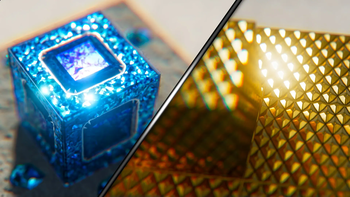
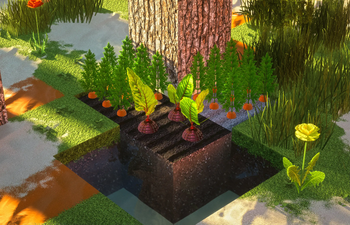
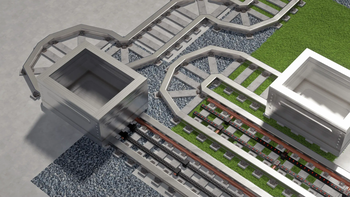
If you have ever wanted to push your PC to the limit, Realism Mats is one of those projects that genuinely changes how the world looks. It moves away from the blocky, pixelated nature of the base game and introduces high resolution surfaces that look like they belong in a modern render. The creator uses a mix of photography, 3D sculpting, and painting to get every leaf, stone, and wood plank looking right. It is not just about making things look clean; it is about adding that organic grit and detail you see in the real world.
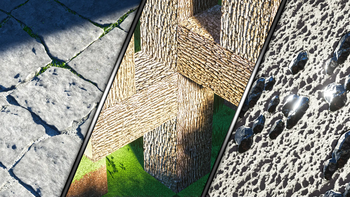
This realistic texture pack is specifically built to play well with raytracing and advanced lighting. Because the textures are created with Autodesk 3ds Max and Mudbox, they have the kind of physical depth that really shines when you use a shader like SEUS PTGI or Nostalgia. When light hits a cobbled path or a brick wall, you can actually see the shadows in the cracks. The free version comes at a 64x resolution, which is a solid starting point if you want to see how your hardware handles the change before moving up to the higher detail options.
Regarding compatibility, it covers a wide range of versions from 1.12 up to the latest releases like 1.21. Since it relies on Optifine for many of its visual features and connected textures, you will definitely want that installed to get the intended look. It is a massive project that feels very different from your standard resource packs, giving the game a professional, high-fidelity overhaul that feels surprisingly cohesive despite the huge jump in quality.
Everything in the pack shows a lot of effort, from the way mud looks wet to the grain on the wooden doors. It is a great choice if you are tired of the default look and want to turn your builds into something that looks more like a photograph than a voxel game.