Texture Pack // by rodrigo_al_
Rodrigo's Pack
Boost your FPS with 8x8 simplistic textures for PvP
- Latest
- Minecraft 26.3 / 26.2
- Updated
- Sep 13, 2026
- Resolution
- —
- Style
- PvP
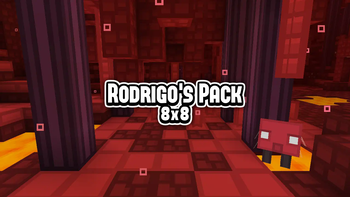
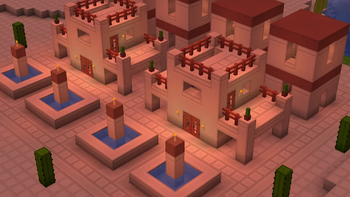
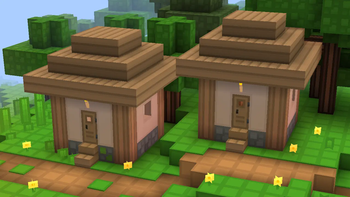
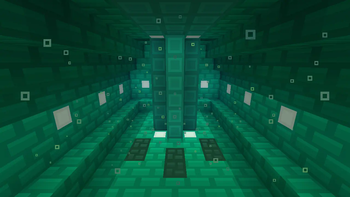
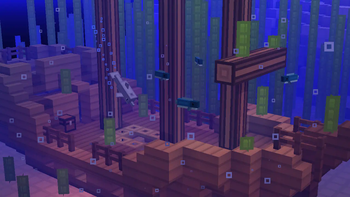
If you are looking for a way to make your game feel snappy and clean, Rodrigo's Pack is one of those classic options that prioritizes performance without looking boring. It uses an 8x8 resolution, which is half the size of the standard game textures. This small scale gives everything a distinct grid-like look and a very bright, cartoonish vibe that helps things pop on your screen.
The visual style is very simplistic. Unlike many other Minecraft texture packs that try to squeeze in a lot of grit, this one goes for solid colors and flat surfaces. It is actually really helpful for PvP because the block edges are very defined, making it easier to see what you are doing during a fast fight. The author included custom block models and specific colormaps to ensure the world still feels alive even with the reduced detail levels. Under the hood, you will also notice custom sounds and lightmaps that shift the atmosphere away from the usual vanilla feel.
It is important to note that this specific project focuses on compatibility for older game versions like 1.8.9 and the 1.16 series. Because the 8x8 style is so restrictive, newer blocks in modern versions are harder to distinguish, so the pack works best if you are playing on those specific legacy versions for competitive matches or survival. If you want the full experience with the custom sky and fog effects, you will need the usual optimization mods installed, otherwise those specific visual tweaks might not show up.
While development has slowed down, it remains a solid choice for anyone who prefers a blocky, low-res aesthetic that keeps frame rates high. You can find several other styles if you browse more packs online to see what fits your setup. If you just want a colorful and fast game, this 8x8 pack does the job perfectly.