Texture Pack // by RobotPants
Bare Bones
Bring the official Minecraft trailer aesthetic to your own worlds.
- Latest
- Minecraft 26.3 / 26.2
- Updated
- Sep 13, 2026
- Resolution
- 16x
- Style
- Simplistic
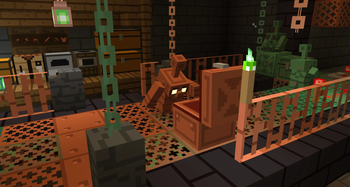
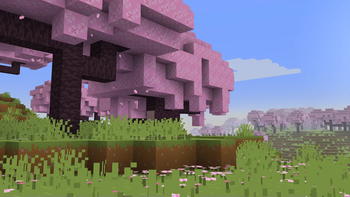
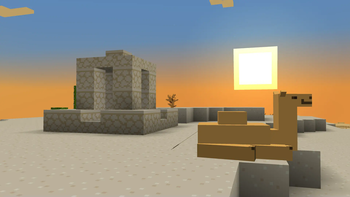
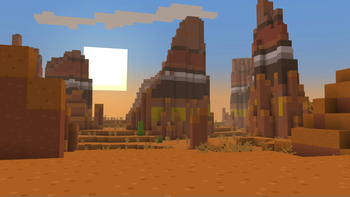
If you have ever watched an official Mojang trailer and wondered why your game does not look quite like that, Bare Bones is exactly what you need. This pack strips away the noisy details of default blocks to give everything a flat, saturated look that mimics the promotional art style perfectly. It is all about cleaning up the visuals while keeping the identity of every block recognizable.
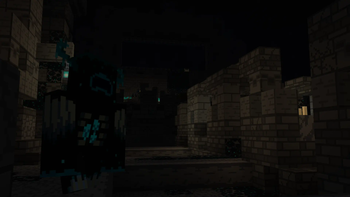
The main draw here is the color palette. Everything feels much brighter and more alive than standard Minecraft texture packs. The grass is a vivid green, the wood planks have simple thick lines, and the mobs look like cute, clean-cut versions of themselves. It removes the grainy pixels that can sometimes make the game look cluttered, especially when looking at distant landscapes or large builds.
Performance wise, because it stays at a 16x resolution, you won't see any dip in your frame rates. It is very lightweight and works across a massive range of versions, stretching all the way back to 1.6.1 and being updated for the latest releases. This makes it a great choice for players who want a fresh look without needing a high-end computer to run fancy shaders or high-res textures.
You can find the files over at the Modrinth page to try it out. If you enjoy this specific clean aesthetic, you can always browse more packs to find other minimalist or trailer-inspired styles that fit your setup.
Overall, Bare Bones does exactly what it says on the tin. It turns Minecraft into a moving cartoon, making the world feel like a clean slate where every structure looks sharp and every biome pops with color.