Texture Pack // by pedro9006
Comforts Modernized
Updated visuals for your favorite portable beds
- Latest
- Minecraft 1.21.1
- Updated
- Jul 12, 2026
- Resolution
- 16x
- Style
- Vanilla+
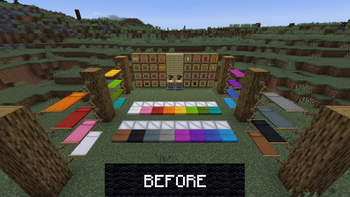
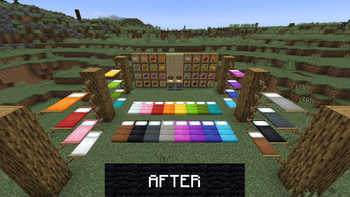
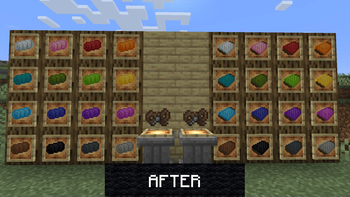
If you play with the Comforts mod, you know how useful those sleeping bags and hammocks are for long trips. The problem is that the original art for those items feels like it belongs in 2014. The Comforts Modernized pack fixes this by reworking those specific items to fit in with the current visual language of the game. It is a small change but it makes a huge difference when you are looking at your inventory or setting up camp. Not everyone wants their Minecraft texture packs to change every single block, and this is a great example of a targeted update that just fixes what is broken.
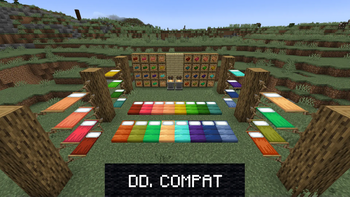
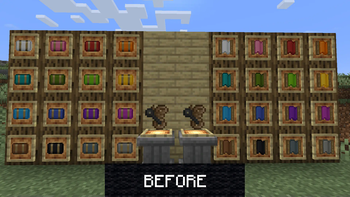
The pack focuses on the main items you actually use. The sleeping bags now have the right shading and saturation to look like the newer bed colors. The hammocks and even the rope and pin items have been touched up too. It stays at a 16x resolution so it does not feel out of place or too detailed. It basically just cleans up the pixel art so it looks official. It works across a massive range of versions, all the way back to 1.12 up to the newest releases, so you can keep your modded setup looking consistent regardless of which version you prefer.
Since this is a resource pack for a specific mod, you obviously need to have Comforts installed for it to do anything. It is a simple drop-in fix that replaces the old textures with these cleaner ones. If you like keeping your world looking cohesive, you should definitely browse more packs that focus on fixing modded inconsistencies like this one. You can grab the files over at the Modrinth page if you want to give your camp gear a fresh look.