Texture Pack // by Makzzin
Created Simple Storage Network
Giving Simple Storage Network a Steampunk Makeover
- Latest
- Minecraft 1.21.1
- Updated
- Jul 12, 2026
- Resolution
- —
- Style
- Mod Support
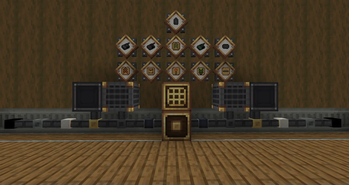
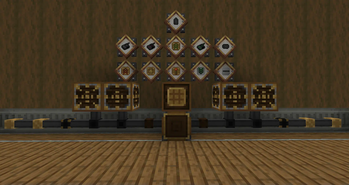
If you use Simple Storage Network along with mechanical mods like Create, you probably noticed the default textures look a bit out of place. The Created Simple Storage Network resource pack solves this by giving the entire mod a fresh look. It takes the original functional blocks and recolors them to match the brass and copper tones found in industrial setups. It makes your storage room look like part of a factory instead of just a bunch of random magic blocks sitting in a corner.
The visual style is much more grounded and gritty. Instead of the basic bright colors the mod usually has, you get textures that feel heavy and metallic. This makes it way easier to hide your storage cables and controllers inside a steam-powered base without ruining the vibe. Since it relies on the style of popular Minecraft texture packs aimed at engineering, the blocks blend right into your existing builds. These new sprites focus on small details that make the network feel like it's actually part of a machine.
Compatibility is pretty straightforward here. The pack works on several modern versions ranging from 1.18 all the way up to 1.21.1. It is designed specifically for the Simple Storage Network mod, so you will obviously need that installed to actually see the changes. Since it only swaps out the textures, it shouldn't mess with your performance or cause weird glitching with other mods you might be running.
It is a solid choice for anyone who hates it when their storage system looks too high-tech for their medieval or steampunk world. Everything feels more cohesive once you get it running. If you want to see what else is out there for your game, you can always browse more packs to find other ways to change up your world's look.