
Texture Pack // by CountXD
Enchant Icons
Adding Visual Clarity to Gear and Books in Minecraft
- Latest
- Minecraft 26.3 / 26.2
- Updated
- Sep 13, 2026
- Resolution
- —
- Style
- Tweaks
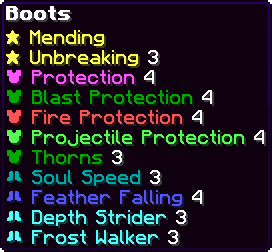
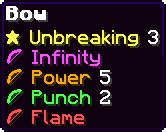
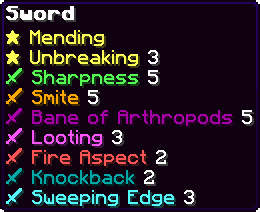
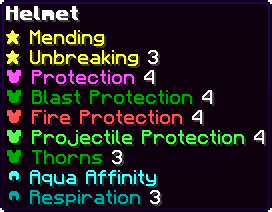
I usually spend way too much time hovering over books in my storage chests trying to find exactly which one has Unbreaking or Sharpness. It gets annoying when you have a wall of chests and every single book looks identical. The Enchant Icons pack fixes this by adding small symbols and different colors directly to the text of the enchantments. Instead of just seeing a wall of white text, you get clear visual cues that help you sort through your gear much faster.
The visual style is pretty clean and fits well with the standard UI. It doesn't just work on books either; you will see these icons on your tools, weapons, and armor too. It makes the enchanting table interface feel a bit more alive since everything is color coded now. If you like using vanilla style texture packs, this is a great addition because it feels like a feature that probably should have been in the base game already.
One of the best things about this tweak is that it supports basically every language in the game. It is not tied to just English, so if you play with a different language setting, the icons will still show up next to the names correctly. It covers a huge range of versions, all the way from 1.18 up to the most recent releases, making it very reliable for long term survival worlds or servers.
It really helps keep things organized when you are doing late game crafting. If you want to see other ways to improve your game world, you can browse more resource packs that focus on these types of small but helpful utility improvements. You can find the download over at the Enchant Icons Modrinth page to try it out yourself.