Texture Pack // by Banjoei
Faithful 32x
Classic high-definition vanilla look for modern Minecraft.
- Latest
- Minecraft 26.3 / 26.2
- Updated
- Sep 13, 2026
- Resolution
- 32x
- Style
- Vanilla+
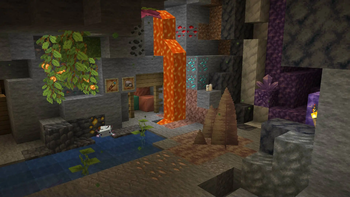
If you have ever felt that the default game looks just a bit too pixelated but you still love the way it looks, Faithful 32x is basically exactly what you need. It is one of those Minecraft texture packs that has been around for ages, and for a good reason. It does not try to change the game into something it is not. Instead, it takes the blocks we all know and increases the pixel count from 16x16 to 32x32.
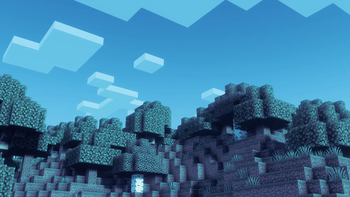
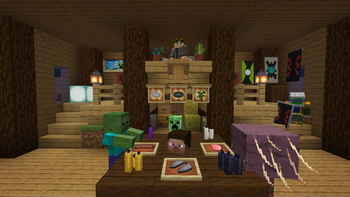
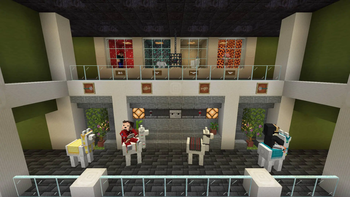
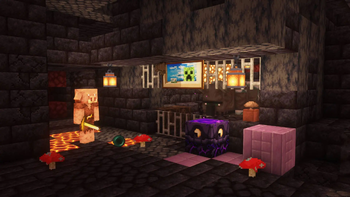
The visual style is very specific. It follows a clean approach where every texture is redrawn to look sharper. You will notice that grass looks softer, stone has a bit more grit, and tools look a lot less chunky in your hand. The creators follow strict guidelines to make sure new blocks added in recent updates match the work done years ago. It feels very consistent across the board, so you won't have random blocks that look like they belong in a different pack.
One of the best things about this specific pack is how long it has been maintained. It started way back in the early days of the game and has successfully moved through every major update. Because it sticks to a 32x resolution, it runs well on most computers without needing a massive graphics card, making it a solid choice for daily survival gameplay.
It supports a huge range of versions, stretching from the very old updates all the way to the newest releases. Since it is designed for the vanilla loader, you usually do not need extra mods to get the basic look working. If you want to see what else is out there, you can browse more packs to find something that fits your specific world.
Overall, it is a safe and comfortable pick for anyone who wants HD clarity without losing the spirit of the game. It is a community-driven project that keeps getting better as more people contribute to its massive library of textures.