Texture Pack // by Jagutka
FancyFast Bushy Leaves
Get bushy trees without the lag using FancyFast Bushy Leaves.
- Latest
- Minecraft 1.21.11
- Updated
- Jul 12, 2026
- Resolution
- —
- Style
- Vanilla+
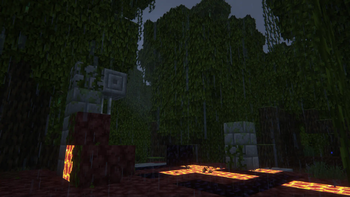
Running around in a thick jungle or a mangrove swamp usually makes my frame rate tank, especially when using Minecraft texture packs that add extra fluff to the leaves. You want that bushy look, but standard fluffy leaves force the game to render a ton of transparency, which gets heavy on the GPU. This is where FancyFast Bushy Leaves comes in to fix that specific headache.
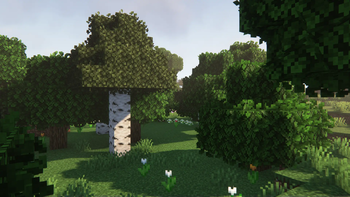
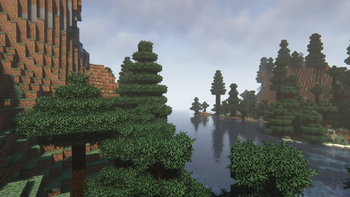
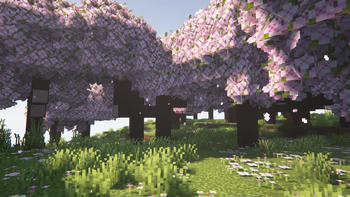
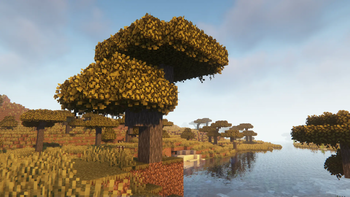
The pack basically tricks the game. It uses the bushy leaf models we all like but forces them to act like they are in fast mode. This stops the engine from trying to render all those see-through layers that you do not really need. Usually, if you just turn on fast leaves in the settings, everything looks like solid, ugly blocks. With this pack, you keep the extra volume and small leaf details on the edges, but the core of the tree stays solid to keep things smooth.
To get the best results, you need to keep your in-game leaf setting on Fancy. It sounds backwards, but that is how the pack triggers the model changes. I also highly recommend using a leaf culling mod alongside it. Without a culling mod, the game might still try to render leaves hidden deep inside the tree canopy, which wastes power. When you pair them up, the performance boost is actually noticeable, even if you like playing with shaders enabled.
It works on almost any version of the game since 1.13, so it is a solid choice for modern survival worlds. If you are struggling with stuttering while exploring forests, give this a try. You can also browse more packs if you are looking for other ways to tweak how your world looks without making it unplayable.