Texture Pack // by heycronus
Xray Boat
Discover everything underwater without leaving your seat
- Latest
- Minecraft 1.21.11
- Updated
- Jul 12, 2026
- Resolution
- —
- Style
- Tweaks
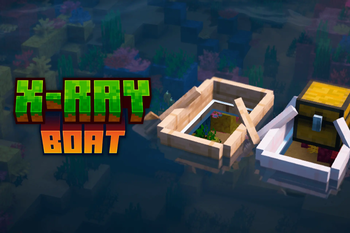
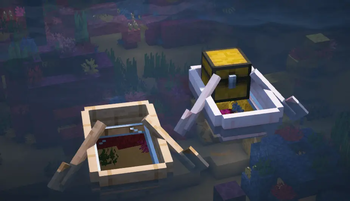
Tired of having to jump out of your boat every five seconds just to check if there is a shipwreck or some cool coral underneath you? The Xray Boat pack fixes that exactly how you would expect. It basically makes the bottom and sides of your boat see-through. Instead of looking at a wooden floor while you travel across the ocean, you can actually see the water and the sea floor passing by underneath you.
It is one of those vanilla style texture packs that does not try to change the whole game. It just focuses on a small utility change that makes exploring deep oceans way less annoying. You keep the standard look of the game, but with the added benefit of being able to spot ocean monuments or underwater ruins without having to constantly dive down or tilt your camera in weird ways to see around the boat frame.
The visual style is very simple. It respects the original wood colors and textures but removes the solid parts of the boat model that usually block your line of sight. It is super lightweight and works on pretty much any version of the game from 1.9 all the way up to the newest updates. Since it does not rely on complex shaders or heavy assets, you can just throw it on and start scouting the reefs immediately.
If you want to try out different utilities like this or just want a change in scenery, you can browse more packs to find other helpful tweaks. Xray Boat is a great pick if you spend a lot of time on the water and want to see what is hiding in the depths while you travel.