
Texture Pack // by weskerson
Weskerson's 3D Items
Bring depth to your tools and gear with Weskerson’s 3D Items
- Latest
- Minecraft 26.1
- Updated
- Jul 12, 2026
- Resolution
- 16x
- Style
- Vanilla+
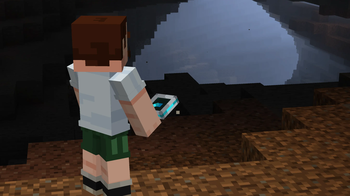
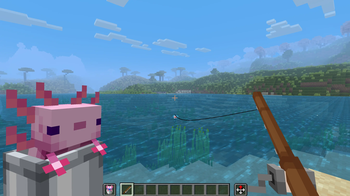
If you are tired of your tools looking like flat cardboard cutouts when you hold them, Weskerson's 3D Items is a great way to fix that. This pack focuses on adding depth to the things you actually use, like your swords, pickaxes, and other handheld utility items. It is designed to fit right into the world without feeling out of place, keeping that classic blocky charm we all like in Minecraft texture packs.
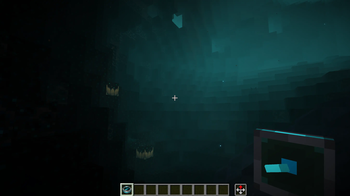
One of the best things about this pack is how it handles the inventory. While your character holds a 3D model in their hand or sees it on the ground, the icons in your hotbar and chests stay as the original 2D sprites. This makes it much easier to find what you are looking for because you do not have to squint at tiny 3D models in a grid. It is a smart way to keep the game playable while making the actual gameplay look much more modern and detailed.
The visual style follows a vanilla plus approach. The 16x resolution ensures everything matches the resolution of the default blocks and mobs. Since the pack is built for version 1.21.4 and newer, it takes advantage of how newer versions of the game handle item models. It also works really well with Hold My Items and other utility mods if you want to see better hand poses or animations while you move around.
For players who want the best look, you might want to pair this with mods that add eating animations or special ways to hold lanterns, as the 3D models really shine when they are being used properly. It also holds up well when used alongside other resource packs that change block textures, since it only touches the item models themselves. It is a simple but effective upgrade for anyone who spends a lot of time looking at the gear in their hands.