Texture pack review
Xray Ultimate
Xray Ultimate latest build for Minecraft 26.2
Skip the tedious strip mining with Xray Ultimate, a block-highlighting pack that makes ores visible through stone and earth while supporting over 100 popular mods.
Overview
In-depth
Xray Ultimate is a themed resource pack by Filmjolk that strips away visual noise so ores and key blocks stand out clearly through stone, dirt, and deepslate. It does this by making common terrain blocks transparent while keeping valuable materials bright and easy to spot. The result is straightforward: you see what matters for mining, and you can ignore the rest.
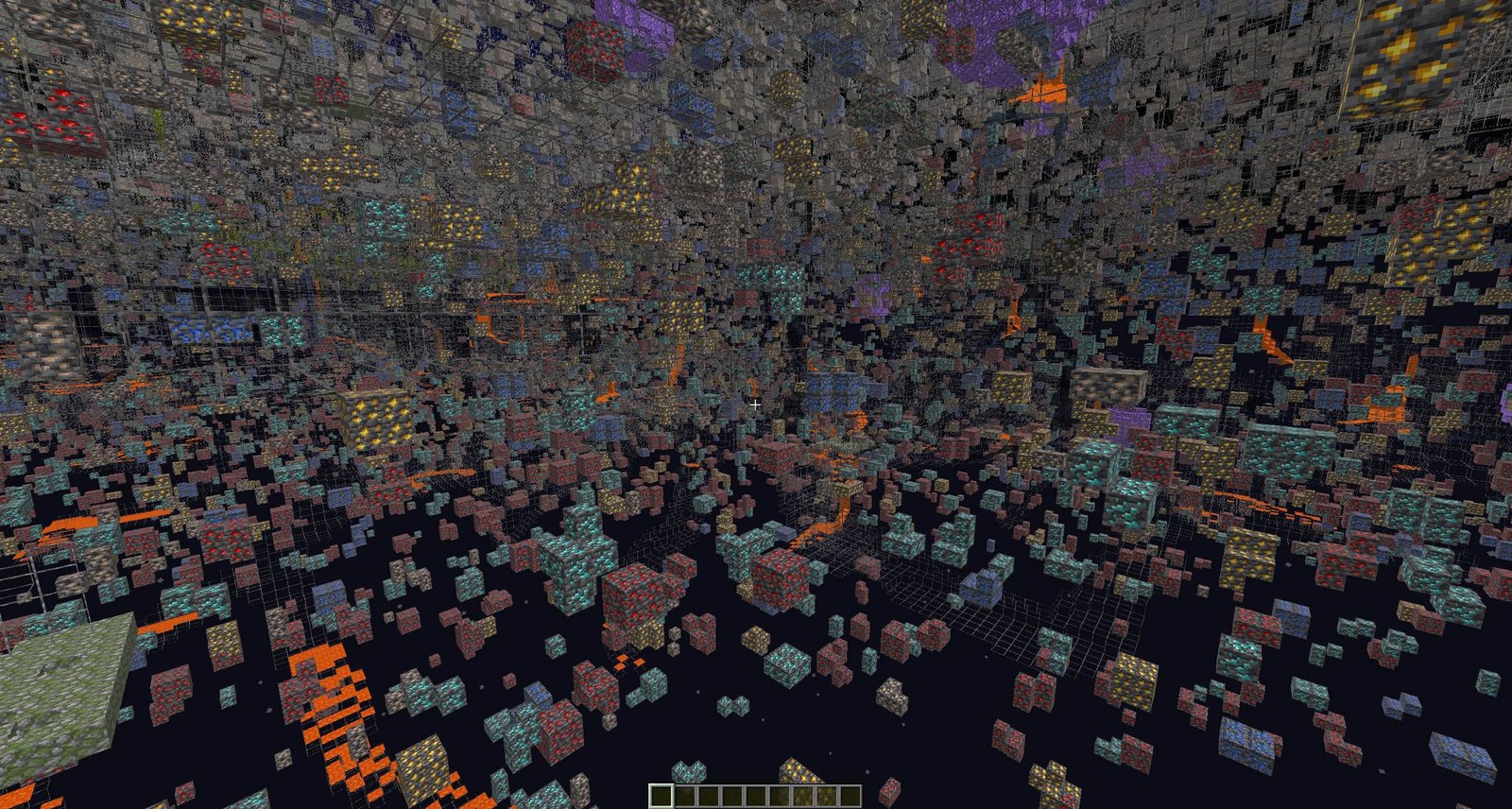
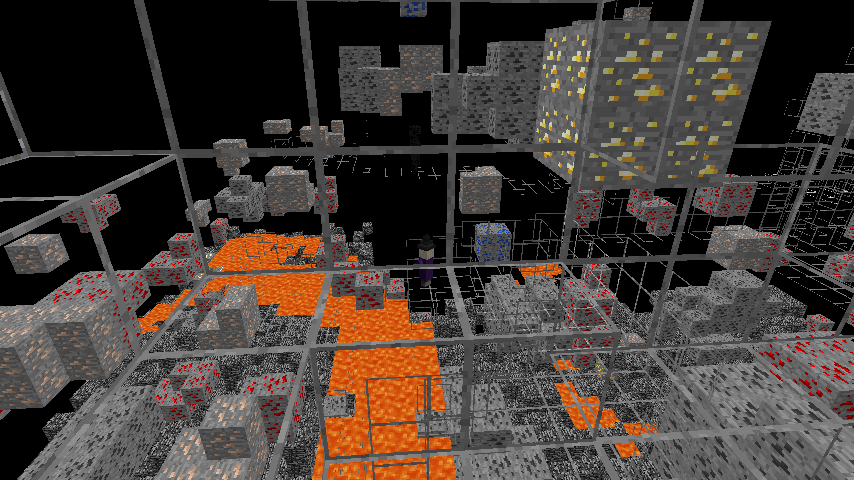
Unlike shader-based xray tricks or client mods, this pack works entirely through textures. You enable it in the Resource Packs menu, and the effect appears instantly. Turning it off is just as quick, which makes it handy for jumping between building and resource runs. In my tests, caves, lava pockets, and ore veins become readable from a distance, and nether resources like quartz and ancient debris remain visible among netherrack.
How it works in practice
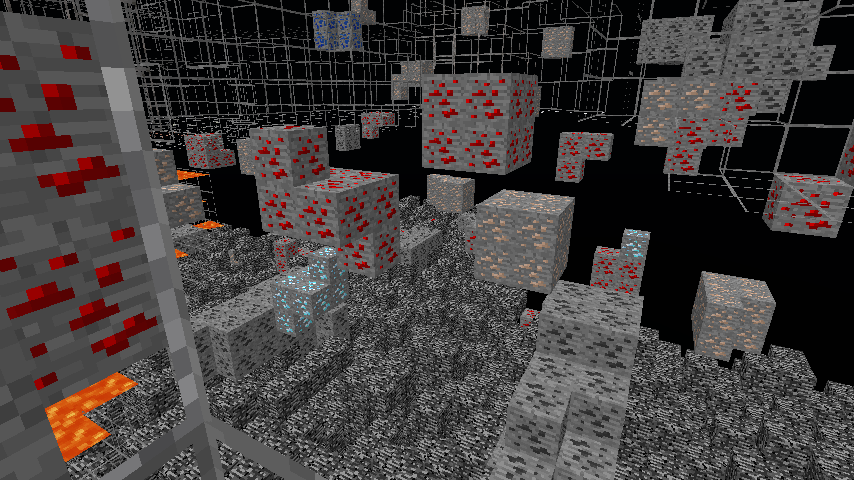
The approach is simple but effective. Stone, netherrack, dirt, and related blocks are flattened or transparent, while diamonds, iron, redstone, gold, copper, and other targets retain clear colors or outlines. Spawners and chests are also easy to pick out in dungeon layouts. Because the pack edits textures instead of adding effects, performance overhead tends to be low, especially without shaders.
Xray Ultimate is commonly reported to play nicely with many modded setups, and the project advertises support for over 100 popular mods. Just match the pack version to your Minecraft build, place it at the top of your resource pack list, and you are set. If a shader dulls transparency, disable that shader or try one that respects alpha textures.
If you want to compare this pack with other options, browse our texture packs library at TexturesPack. You can also explore similar concepts in our themed texture packs category to see different approaches to visibility and gameplay focus.
Supported builds span modern releases like 1.21 and long-standing classics from the 1.8 era, so it fits a wide range of worlds and servers. As always, respect server rules. Many communities prohibit xray-style packs. For singleplayer, testing worlds, or resource runs on allowed servers, Xray Ultimate provides a clean and practical view that saves time underground.
Gallery
Screenshots
Xray Ultimate in game, captured across biomes and lighting conditions.
What you get
Why Xray Ultimate?
Find ores faster
By hiding stone and dirt, the pack highlights ore veins and chests at a glance. You spend less time guessing tunnel paths and more time collecting what you actually need.
Clear visual priority
Valuable blocks remain bright and readable while filler terrain fades away. The simple contrast makes it easy to track diamonds, redstone, and spawners without visual clutter or excessive effects.
Low performance impact
It relies on texture edits, not heavy post processing. Many players see little to no performance drop, especially when shaders are disabled or tuned to respect transparency correctly.
Works across versions
Builds are available for modern Minecraft and older releases. Matching the pack version to your client keeps visuals consistent across survival worlds, speedruns, and archival maps.
Modpack friendly setup
Reported to work with many popular mods, it usually slots on top of other resource packs. Adjust the load order to ensure xray textures override conflicting visuals from themed packs.
Quick enable or disable
Toggle it in the Resource Packs menu whenever you switch tasks. Turn it on for mining sessions, then off again when building or taking screenshots with normal aesthetics.
Downloads
Get Xray Ultimate
The 10 most recent Xray Ultimate builds, direct mirror links, no ad redirects.
Install
How to install Xray Ultimate
Vanilla route
- 1Download the Xray Ultimate zip that matches your Minecraft version.
- 2Open Minecraft, go to Options, Resource Packs, then click Open Pack Folder.
- 3Move the downloaded zip into the resourcepacks folder without extracting it.
- 4Back in game, select Xray Ultimate from Available Packs and click Done.
- 5Place it at the top of the Active list so its overrides take effect.
Modded route (Vanilla)
- 1Install Fabric or Forge as your mod loader and start the game once.
- 2Download the Xray Ultimate zip corresponding to your modded Minecraft version.
- 3From Options, Resource Packs, open the resourcepacks folder and add the zip.
- 4Enable the pack in game, move it to the top, then click Done to apply.
- 5Optionally use Optifine for brightness tweaks, or disable shaders if transparency fails.
◎ Compatibility
✓ Tested and confirmed working on Minecraft 26.2 and 26.1.2
We ran Xray Ultimate on Minecraft 26.2 and 26.1.2 even though the pack was not officially built for these versions. Texture packs typically stay compatible across nearby Minecraft releases, and this one runs as expected.
Troubleshooting
Common problems
Pack does not appear in game.
Place the zip in the resourcepacks folder, not shaderpacks or mods. Restart Minecraft after copying to refresh the list.
Stone is still visible everywhere.
Move Xray Ultimate to the top of the Active resource packs list. Disable other packs that override terrain textures, then reload your world.
Transparency breaks when using shaders.
Disable that shader or choose one that respects alpha textures. Many shader packs override blocks and can cancel xray-style transparency.
Kicked or warned on multiplayer servers.
Many servers prohibit xray. Disable the pack on those servers and ask staff about allowed client resources before joining.
FAQ
Frequently asked questions
Which Minecraft versions does Xray Ultimate support?+
Builds exist for modern 1.21 releases and many older versions back to the 1.8 era. Always download the variant that matches your client. Texture packs generally remain compatible with nearby Minecraft versions even when they were not officially built for that release.
Will this pack hurt performance or FPS?+
It usually has a light footprint since it edits textures only. Shaders can reduce the effect or lower FPS, so disable them or test alternatives if performance dips.
Is there a Bedrock or MCPE version?+
Xray Ultimate is commonly distributed for Java Edition. Bedrock uses a different pack format, so you would need a dedicated Bedrock port rather than this Java pack.
Do I need Optifine for Xray Ultimate to work?+
No, it works without Optifine. Optifine can help with brightness or gamma settings and may offer useful performance controls, but it is optional.
Can using this on servers get me banned?+
Yes, many servers forbid xray-style packs. Always follow server rules and ask staff first. Use the pack only where it is clearly allowed.
What resolution is the pack?+
It follows a vanilla-like resolution, which keeps visuals simple and readable. That approach helps the xray effect remain consistent across different systems.
Ready to install?