Texture Pack // by Satellence
Alacrity
A detailed 32x overhaul for RPG and medieval fans.
- Latest
- Minecraft 26.1.2
- Updated
- Jul 12, 2026
- Resolution
- 32x
- Style
- Themed
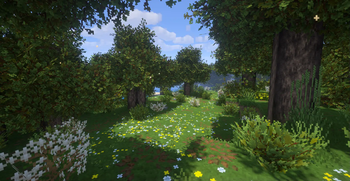
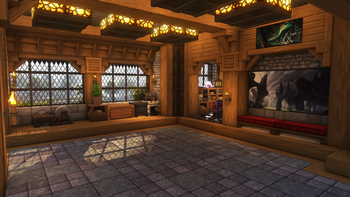
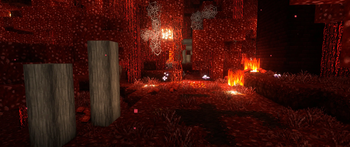
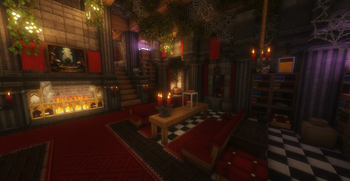
If you are looking for a way to make your world feel less like a block game and more like a classic fantasy adventure, Alacrity is one of those packs that actually puts in the work. It moves away from the standard pixel size and uses a 32x resolution to squeeze in a ton of extra detail. The creator clearly spent a lot of time thinking about how individual blocks look when they are placed together, focusing on a vibe that pulls from things like Gothic or even Elder Scrolls. It is a full conversion, so almost everything you see gets a new look while still making sense within the game.
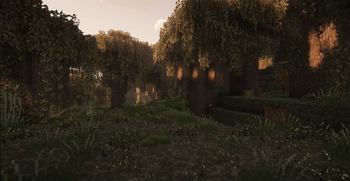
What really makes this one stand out among other Minecraft resource packs is the sheer amount of custom modeling. Instead of everything being a flat cube, you get specific 3D shapes for blocks and even entities if you have the right mods installed. The foliage and trees look much more alive than the vanilla stuff, mostly because there are so many alternate textures that prevent patterns from repeating in a boring way. It feels very handcrafted, especially the stone and wooden structures which fit perfectly into a medieval build or a magical tower.
This pack works across a huge range of versions, starting all the way back from 1.15 up to the newest releases. Since it uses higher resolution textures and extra models, it might be a bit heavier on your computer than the default textures, but the visual trade off is worth it if you like that gritty, enchanted look. If you want to see how other creators handle these themes, you can browse more packs to compare different styles. Alacrity is definitely a solid pick if you want your game to feel more like an RPG world meant for exploring ruins and deep forests.