Texture Pack // by Aim_Boot
Ashen 16x
A Medieval Fantasy Overhaul for Java Edition
- Latest
- Minecraft 26.3 / 26.2
- Updated
- Sep 13, 2026
- Resolution
- 16x
- Style
- Realistic
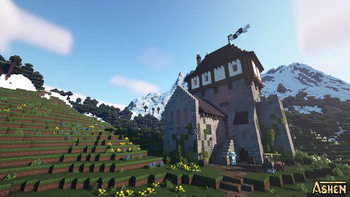
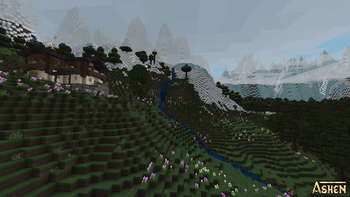
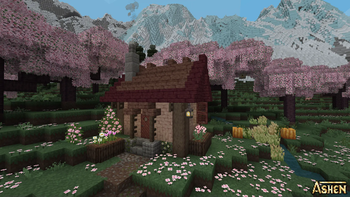
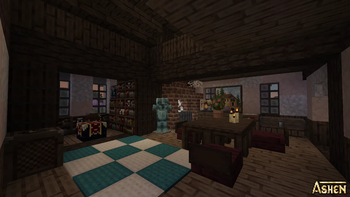
If you have been looking for a way to make your world feel a bit more like a dark fantasy setting without losing the blocky soul of the game, Ashen 16x is a solid choice. This project has been in development for years, and it shows in how much of the game it actually touches. Instead of just changing a few blocks, it reworks basically everything to give the game a cohesive, medieval atmosphere that feels much grittier than the standard look.
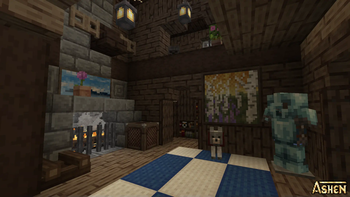
One of the coolest parts is that it does not just swap colors. The pack uses custom 3D models for different blocks and items, which adds a lot of depth to buildings that usually look flat. It also introduces random block variations, so your stone walls or forest floors do not look like a repetitive grid. If you enjoy the variety found in many Minecraft texture packs, you will appreciate how this makes the environment feel more organic and weathered.
For players who like things to look a bit more alive, this pack plays well with others. It is built to work with Fresh Animations, provided you load it in the right order, and it supports mob variations if you use the right mods. The visual style leans into a realistic, medieval vibe, making it great for kingdom builders or anyone who wants a break from the bright, saturated colors of vanilla. It is mostly focused on the most recent Java versions, and because it stays at a 16x resolution, it should not tank your frame rate like some high-res packs do.
Since the core textures are finished, you get a very consistent experience across different biomes. Whether you are underground mining or building a castle on a hill, the fantasy theme stays intact. You can browse more packs if you want something different, but for a complete overhaul that feels handmade and carefully planned, Ashen 16x is definitely worth a download.