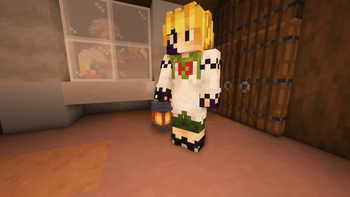
Texture Pack // by Nico4play
Better Lanterns
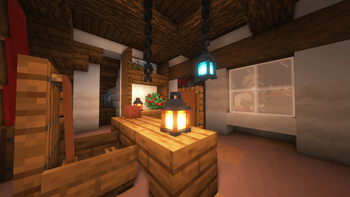
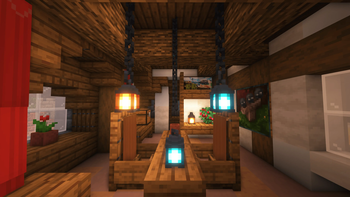
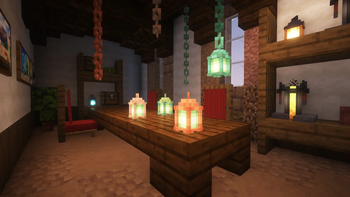
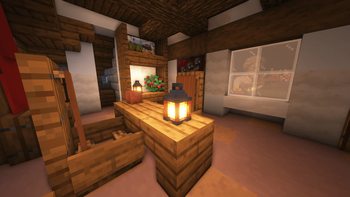
A subtle overhaul for lanterns and chains with improved 3D models and hand positions.
- Latest
- Minecraft 26.1.2
- Updated
- Jul 12, 2026
- Resolution
- 16x
- Style
- Vanilla+
Standard lanterns in Minecraft can feel a bit flat once you start looking closely at them. The Better Lanterns pack fixes this by adding actual depth to the models, making the frames and glass sections look like real objects rather than just simple boxes. It is a small change but it makes a big difference when you are decorating a base or a dark hallway. The chains get a similar treatment, looking much more solid and connected compared to the default textures.
One of the cool things about this specific Minecraft texture pack is how it handles different materials. It is fully compatible with the newer copper lanterns and chains, so your industrial or weathered builds stay consistent with the improved 3D look. The pack also adjusts how your character holds a lantern when you are in third-person view. Instead of it just awkwardly clipping or floating, the grip looks more natural, which is a nice touch for anyone who takes a lot of screenshots or plays on multiplayer servers.
If you use mods like Arcane Lanterns or Thin Air, this resource pack has built-in support for those too. It ensures that the extra items added by those mods match the revamped style of the vanilla lanterns. It works across most recent versions of the game without needing extra shaders or heavy performance mods to look good. If you are looking to freshen up your lighting fixtures, you can browse more packs to find other small detail improvements that fit this style.
Overall, it is a simple vanilla-plus addition that does not try to reinvent the game. It just makes the existing light sources look a bit more polished and realistic without losing that blocky charm we all like.