Texture Pack // by Motschen
Motschen's Better Leaves
Fluffier leaves for a more organic-looking forest
- Latest
- Minecraft 26.3 / 26.2
- Updated
- Sep 13, 2026
- Resolution
- —
- Style
- Realistic
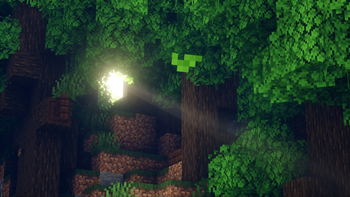
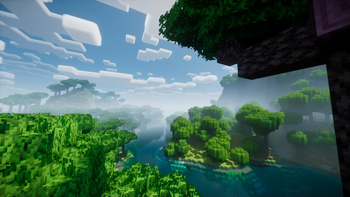
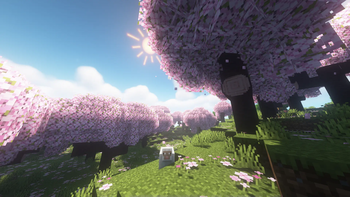
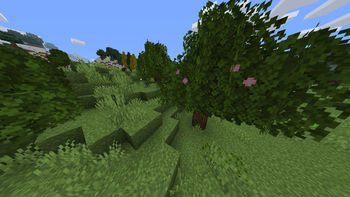
Standard Minecraft trees always looked a bit too much like stiff green cubes to me. If you feel the same, Motschen's Better Leaves is a simple fix that completely changes the vibe of the forest. It adds extra layers and little twiggy bits to leaf blocks so they actually look bushy and thick rather than just solid boxes. It is one of those vanilla style texture packs that does not ruin the original game feel but just makes everything look more finished and natural.
The visuals are the main draw here. Because the pack adds depth through layering, the leaves catch light differently and hide the harsh grid lines of the world. It makes exploring jungles or oak forests feel way more like a real hike. The cool thing is that the author actually cared about how the game runs, so the newer versions are built to be light on your hardware. Even if you have a massive orchard, it should not tank your frame rate like some older 3D leaf packs used to do.
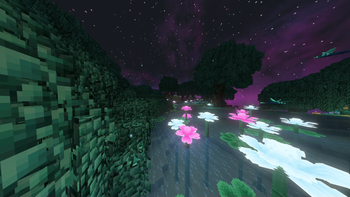
Compatibility is also a strong point for this pack. While it works great on its own, it has built-in support for a huge list of popular mods. Whether you are using Biomes O' Plenty, The Twilight Forest, or even The Aether, the leaves in those new dimensions will get the same fluffy treatment. If you are a fan of using different resource packs together, you will find that this one sits nicely on top of most other sets without causing weird glitches or missing textures.
To get the absolute peak performance, especially if you play with shaders, it is usually a good idea to pair this with something like Sodium. It just ensures the extra geometry does not cause any stutters. It is a small change on paper, but once you see those dense canopies from a hilltop, it is really hard to go back to the default flat cubes.