Texture Pack // by nebulr
Default Dark Mode
A clean dark interface for Minecraft that preserves the vanilla look.
- Latest
- Minecraft 26.3 / 26.2
- Updated
- Sep 13, 2026
- Resolution
- —
- Style
- Vanilla+
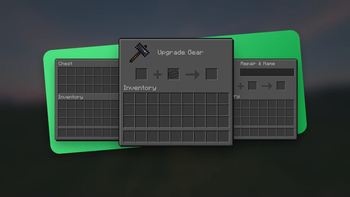
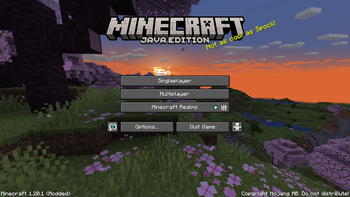
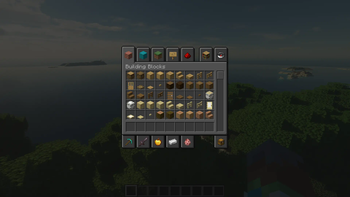
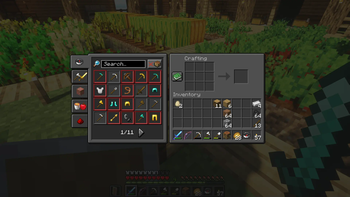
If you find yourself squinting every time you open your inventory at night, the Default Dark Mode resource pack is exactly what you need. It replaces the classic light grey and bright white interface elements with a much softer, dark grey palette that is significantly easier on the eyes. Unlike other vanilla style texture packs that change the actual blocks and items, this one focuses entirely on the GUI, making sure the game still feels like the original game you are used to.
The visual style is very consistent. Every menu, from the crafting table and furnace to the villager trading screen, gets the dark treatment. The buttons have a nice contrast to them and the text remains perfectly readable against the new backgrounds. It feels professionally made because it does not try to be flashy; it just makes the interface look like it belongs in a modern dark theme without breaking the pixelated charm of the game.
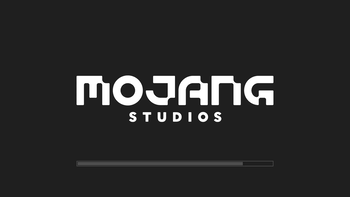
Compatibility is a huge highlight for this pack. It works across almost every version of the game, starting all the way back from 1.6 right up to the latest releases like 1.21. For those who play with a lot of additions, it also supports a massive list of popular mods like Applied Energistics 2, Farmer's Delight, and JEI. If you want a dark loading screen, you will need Optifine installed, but otherwise, the pack works perfectly fine on its own.
It is one of those quality of life tweaks that makes long sessions much more comfortable. If you enjoy this look, you can browse more packs to find other ways to customize your game. Once you start using a dark interface, it is honestly pretty hard to go back to the standard bright menus.