Texture Pack // by thebaum64
Default HD 128x
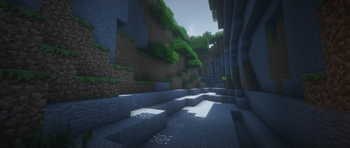
Bring a high-definition 128x look to the standard Minecraft blocks with smooth shading.
- Latest
- Minecraft 26.1.2
- Updated
- Jul 12, 2026
- Resolution
- 128x
- Style
- Simplistic
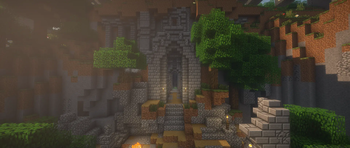
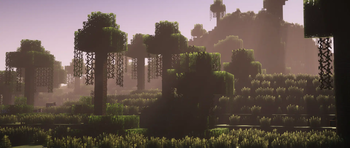
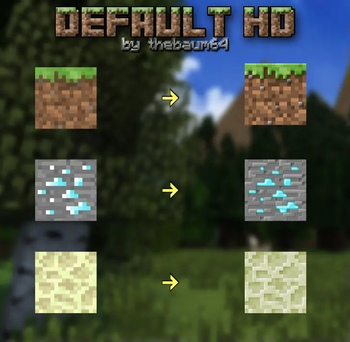
If you have ever felt like the standard look of the game is just a bit too pixelated for your screen, Default HD 128x might be exactly what you need. It does not try to turn the game into a different world or a realistic forest simulation. Instead, it sticks to the look we all know but cranks the resolution way up to 128x. This means blocks keep their classic colors and patterns, but everything looks much sharper and more defined when you get up close. Many Minecraft texture packs try to change too much, but this one focuses on just making the original art better.
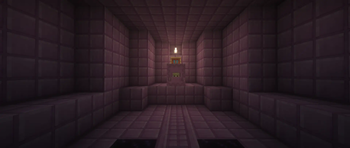
One of the biggest things you will notice with Default HD 128x is how the shading is handled. The creator, thebaum64, put a lot of work into the shadows and gradients on individual blocks. It makes solid walls look less flat and adds a bit of depth that the 16x version just cannot match. It feels a lot cleaner overall. Recently, the pack even started including PBR mapping support, which is great if you use shaders and want those extra lighting effects on your surfaces.
This pack has been around for a long time, dating back to 2015. After a break, it is being updated again for modern versions. Right now, this version serves as a way to see how the blocks look in your world before diving into the more complete builds. It works with standard Minecraft and supports a huge range of game versions from the very old updates to the newest ones. If you want to see how other creators handle high-resolution pixels, you can always browse more packs to compare the styles.
It is a solid choice for anyone who likes the vanilla feel but has a PC that can handle more detail. It bridges that gap between the basic game and those hyper-realistic packs that sometimes feel a bit out of place in a block game. Give it a try if you want your world to look crisp without losing its identity.