Texture Pack // by thebaum64
Default HD 512x
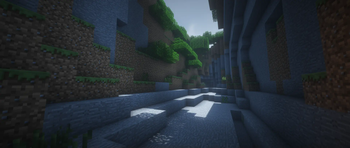
Classic Minecraft visuals with extreme 512x resolution and soft shading
- Latest
- Minecraft 26.3 / 26.2
- Updated
- Sep 13, 2026
- Resolution
- —
- Style
- Simplistic
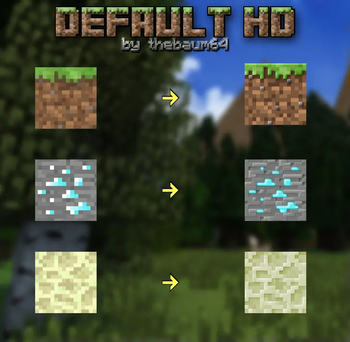
If you have ever felt that the standard blocks look a bit too pixelated but you do not want to change the actual art style of the game, Default HD 512x is exactly what you are after. It takes the familiar patterns we all know and pushes the resolution to 512 pixels per block. This means everything looks crisp and sharp even when you are standing right against a wall. It is one of those Minecraft texture packs that manages to look high-end without making the game feel like a completely different RPG.
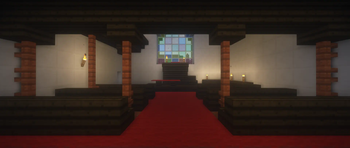
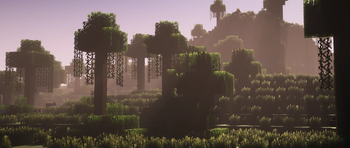
The real difference here is in the shading. The creator, thebaum64, put a lot of work into adding soft shadows and smooth gradients to the textures. This gives the blocks a much more rounded and realistic look compared to the flat colors of the base game. It feels like the blocks have more depth,尤其 with the addition of PBR mapping. This makes light reflect off surfaces in a more natural way, which is great if you use shaders. Just keep in mind that this specific version is a demo of the higher resolution work, so it features a select group of textures to show off the potential of the project.
Compatibility is a big plus here. This pack works on basically every standard version of the game going back to the old days. Because it stays true to the original layout and pixel placement, it does not feel jarring to switch between vanilla and this HD version. It is a solid choice for anyone who wants their world to look cleaner and more detailed without losing that nostalgic charm. You can find more options to try out if you browse more packs on our collection page.
The project has been around for a long time, starting way back in 2015, and it has recently been brought back to life with these new high-resolution updates. It is a work in progress, but the textures currently included show a massive jump in quality from the lower resolution versions. Just make sure your PC can handle 512x textures before loading it up.