
Texture Pack // by carl_classic
Enchanted Books: Re-covered
No more guessing which enchantment is on your book in Minecraft.
- Latest
- Minecraft 26.1.2
- Updated
- Jul 12, 2026
- Resolution
- 16x
- Style
- Vanilla+
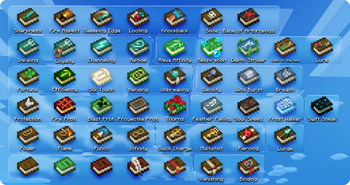
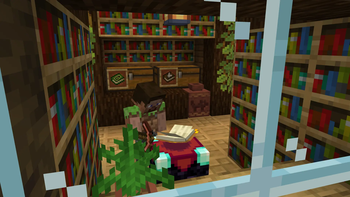
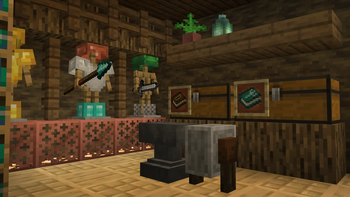
It is honestly pretty annoying how every single enchanted book looks exactly the same in vanilla Minecraft. You end up hovering your mouse over every single purple book in a chest just to find that one Sharpness IV you misplaced. Enchanted Books: Re-covered fixes this by giving every enchantment its own distinct cover art. Instead of just a generic glowing book, you get a visual hint of what is inside using symbols that actually make sense in the context of the game.
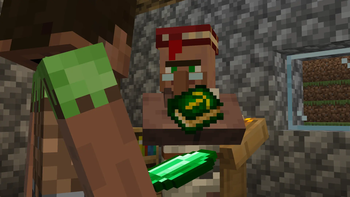
The style of this texture pack collection is built to fit right into the 16x look of the game without feeling like it came from a different mod. All the icons are designed to look like something a villager might actually stamp or draw onto a leather cover. You might see a creeper face for protection against blasts or little souls drifting off a book for soul speed. It keeps the art clean and angled properly, so it looks natural in your inventory slots or when dropped on the floor.
If you are playing on the latest versions like 1.21.5 or newer, you can just drop the pack in and it works. For those on older versions like 1.20 or 1.18, you will need OptiFine or CIT Resewn to see the different textures, as base Minecraft did not always support unique item looks based on data. There are even some cool internal options if you want to dig into the files, like swapping out animated textures for static ones or changing the recipe book button to be transparent.
It is a great choice if you like keeping things organized without having to read a dozen tooltips every time you go to the enchanting table. You can always browse more packs if you want to change up the rest of your world too, but for fixing the inventory mess, this one does the job well.