Texture Pack // by mythitorium
Even Better Enchants
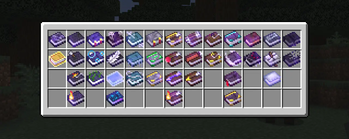
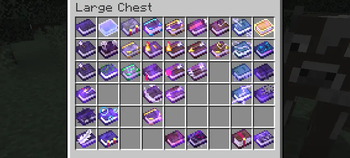
No more guessing which enchanted book is which in your chests
- Latest
- Minecraft 26.3 / 26.2
- Updated
- Sep 13, 2026
- Resolution
- —
- Style
- Vanilla+
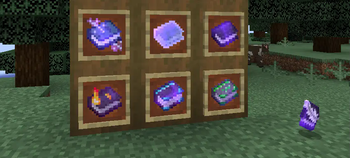
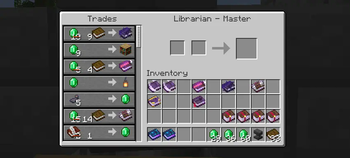
It always feels a bit annoying when you are looking through a chest full of enchanted books and every single one looks identical. You have to hover over each one just to find that one Mending or Fortune III book you need. The Even Better Enchants pack fixes this problem by giving every single enchantment its own unique texture. This means you can tell the difference between a Protection book and a Sharpness book just by looking at the icon in your inventory.
The style of these Minecraft resource packs stays very close to the default look. It doesn't try to be hyper realistic or high resolution. Each book has small visual cues, like different colored ribbons or symbols on the cover, that represent what the enchantment actually does. It is a logic based approach to inventory management that fits right into the game world without feeling like a heavy mod. This is an updated continuation of an older project, now covering the latest enchantments added in recent updates like 1.21.
If you are playing on version 1.21.5 or newer, you can just drop this in and it works with the default game. For those on older versions like 1.20 or 1.19, you will need something like Optifine or CIT Resewn to handle the custom item textures. It covers a huge range of versions, so it should work for most players regardless of which update they prefer.
Organizing your smithing table or library becomes a lot faster once you learn what the different colors mean. You can browse more packs if you want to find other tools to clean up your UI or item sprites. It is a small change, but once you start using it, it is hard to go back to the standard glowing purple books.