Texture Pack // by bebebea_loste
(Bee's) Fancy Crops
A cozy refinement for your Minecraft garden and farm life.
- Latest
- Minecraft 26.1.2
- Updated
- Jul 12, 2026
- Resolution
- 16x
- Style
- Vanilla+
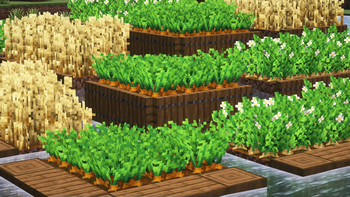
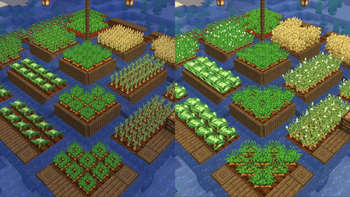
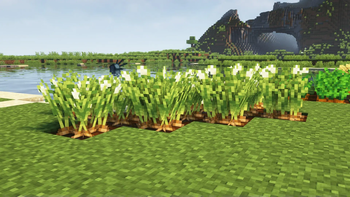
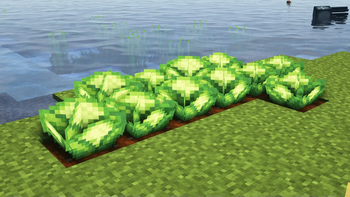
If you enjoy spending most of your time in the garden, (Bee's) Fancy Crops is a nice little addition that makes your farmland look much less flat. Usually, crops in the game are just two flat planes crossing each other, but this pack changes things up. It introduces a fuller, fluffier model for plants that gives them a bit more volume and presence when you are walking through your fields.
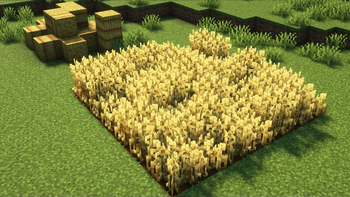
The pack goes beyond just changing shapes. It adds variety to the actual textures of the crops so they do not all look exactly the same while they are growing. You will also notice that seeds and hay bales have been tweaked to match this softer, more detailed aesthetic. It is a great choice if you already use other Minecraft texture packs that focus on small, subtle improvements to the world without breaking the original art style.
One of the best things about (Bee's) Fancy Crops is how it handles different setups. While it works perfectly on its own without needing any mods, it was specifically designed to complement Farmer's Delight. Even if you use other mods that add different vegetables or plants, the new crop models are built to be compatible across the board. The 16x resolution ensures that your performance stays consistent and everything still feels like the blocky game you know.
As long as you are on a relatively recent version of the game, you can jump right in. If you see a warning about the pack being for a different version, you can usually ignore it as long as the core files match your game version. It is an easy way to make your base feel a little more lived-in. You can check out more options and browse more packs to find other ways to customize your world.