Texture Pack // by BlueHDGaming
Fresh Flower Pots
A subtle overhaul for potted plants and terracotta containers
- Latest
- Minecraft 26.1.2
- Updated
- Jul 12, 2026
- Resolution
- —
- Style
- Vanilla+
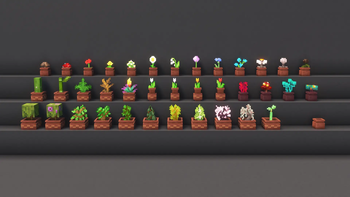
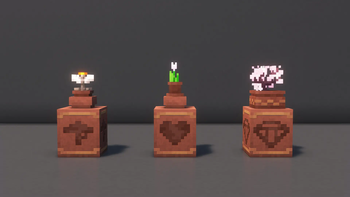
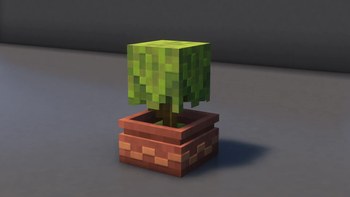
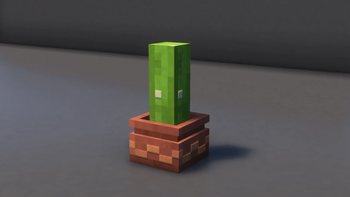
If you have ever felt like the standard flower pots in Minecraft are a bit too simple, Fresh Flower Pots is a great little addition to your world. Instead of every plant sitting in the exact same clay square, this pack changes things up by giving different plants their own specific pot shapes and types of dirt. It is one of those vanilla style texture packs that does not ruin the game's look but just makes your interior decorations feel way more thoughtful and realistic.
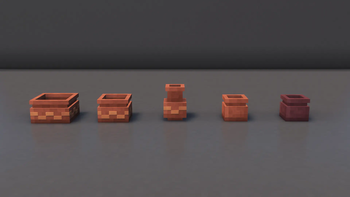
The pack introduces a nice variety of five distinct pot models and eleven types of soil. For example, some plants might sit in darker potting soil while others look better in sand or dry earth. A really cool touch is that empty pots no longer have that weird layer of dirt inside them, they actually look empty. The creator also went back and fixed some of the old lighting bugs that usually plague these blocks, so they do not look out of place when the sun hits them from a weird angle. Even the particles that pop out when you break a pot have been adjusted to match what is actually inside.
Performance is usually a concern when adding 3D models, but this one is built to be light. It shouldn't drag down your frame rate at all. Regarding compatibility, you can run this with most other sets as long as you put it at the top of your list. It works fine alongside any pack that doesn't try to change the same 3D pot files. If you want to find more ways to tweak your world, you can browse more packs to see what else fits your building style.
Overall, it is just a solid quality of life change for builders. It makes windowsills and gardens look much less repetitive without needing any complex mods or extra heavy assets.