Texture Pack // by worldresourcepack
Fullbright UB
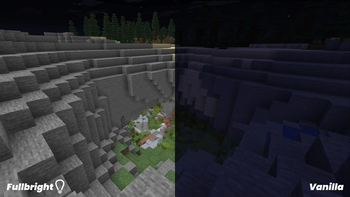
Always visible lighting for caves and nighttime
- Latest
- Minecraft 26.3 / 26.2
- Updated
- Sep 13, 2026
- Resolution
- —
- Style
- Vanilla+
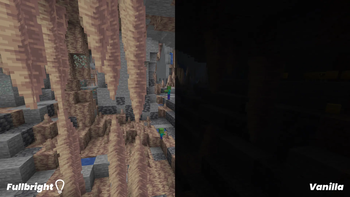
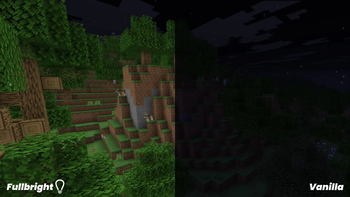
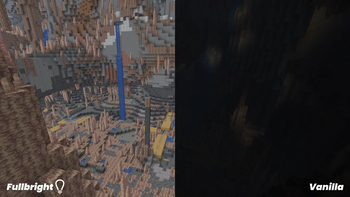
Getting stuck in a deep cave without any torches or coal is one of the most annoying things that can happen during a session. Fullbright UB fixes that frustration by making sure the lighting level is always at its maximum. It basically removes the need for lighting items when you are just trying to find your way around or mine for diamonds in the dark. This is a super straightforward pack that does not mess with the actual block textures, so everything still looks like your favorite Minecraft texture packs usually do.
What makes this specific version useful is how it handles different ways people play the game. Most of us use mods like Sodium for performance, or Optifine for various zoom features. Fullbright UB is designed to work across all those setups. If you are playing on a vanilla profile, it works right out of the box. If you are a Sodium user on the newer 1.21.6 versions, you just need a small helper mod like PolyTone to keep the lights on, but otherwise, it is pretty much a toggle and forget situation.
The visual style is literally just the game, but with no shadows. Highlighting ores, finding monsters before they sneak up on you, and navigating the Nether becomes way easier when you can actually see the terrain. It is lightweight too, so you do not have to worry about your frame rate dropping just because you want to see in the dark. It is built to keep things simple and functional without adding a bunch of unnecessary files to your game folder.
If you are looking for something that changes more than just the light levels, you can browse more packs to find something that updates the blocks and items too. But for anyone who just wants to kill the darkness and get back to building or mining, this pack does exactly what it says on the tin without any fluff.