Texture Pack // by tixul
Enchantment Outlines
A visual upgrade for enchanted gear with bright tool borders.
- Latest
- Minecraft 26.1.2
- Updated
- Jul 12, 2026
- Resolution
- —
- Style
- Vanilla+
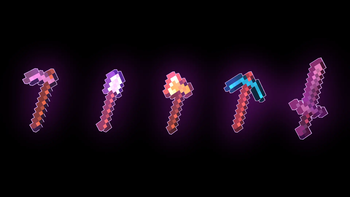
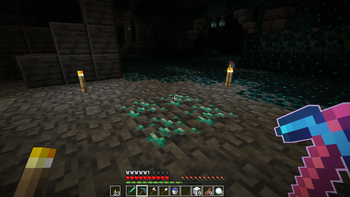
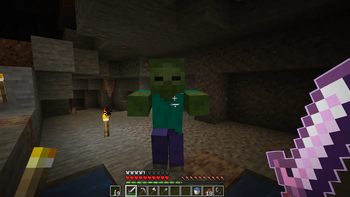
When you spend a lot of time grinding for levels, you want your gear to actually reflect the work you put in. The Enchantment Outlines pack is a simple way to make your enchanted items look more active in your hotbar. Instead of just that standard shimmer, this pack puts a bright pink border around your tools. It really helps when you are scanning a chest full of loot and need to find your silk touch pickaxe or your maxed out sword without hovering over every single slot.
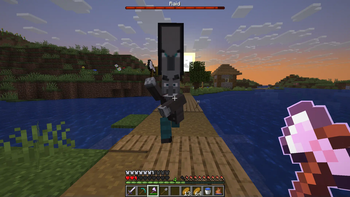
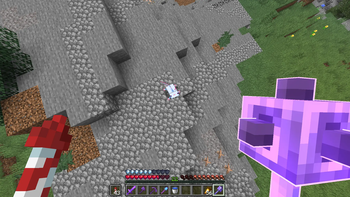
The visual changes are pretty distinct compared to other Minecraft resource packs you might have tried. It covers all the basics like shovels, axes, and hoes, but the creator also went the extra mile with specialized items. Bows and maces actually use 3D models here, which gives them a nice bit of depth while keeping that glowing pink highlight. It keeps the vanilla shapes but adds a much sharper look to the inventory UI.
One thing to keep in mind is technical stuff for different versions. If you are playing on anything older than 1.21.4, you are going to need CIT Resewn to get the textures working right. The pack plays nice with Sodium too, so performance should stay solid even with shaders turned on. It is built to work with most shader setups without flickering or looking broken, which is great if you use Respackopts for tweaking your settings.
If you enjoy this specific inventory style, you might want to browse more packs to see how other creators handle item highlights and UI tweaks. This one is specifically for fans of that vibrant pink outline, but it fits surprisingly well into a normal survival world.