Texture Pack // by FabianMPunkt
Nautilus 3D
A faithful 3D overhaul for decorative blocks and models
- Latest
- Minecraft 26.1.2
- Updated
- Jul 12, 2026
- Resolution
- —
- Style
- Vanilla+
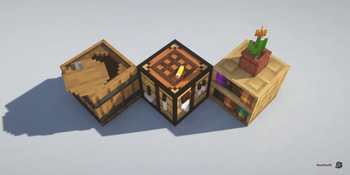
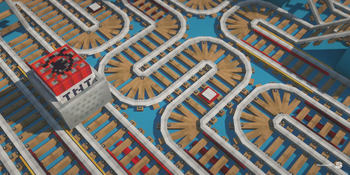
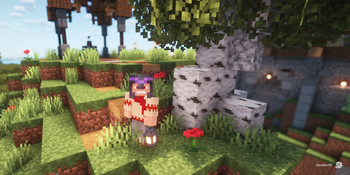
If you're looking for a way to make your world feel a bit more tactile without losing that classic square vibe, Nautilus 3D is one of those vanilla style texture packs that just gets the balance right. It focuses heavily on adding actual geometry to blocks that usually look flat. Things like rails, doors, and crafting tables get actual depth, making builds look much more detailed even if you aren't using any crazy shaders.
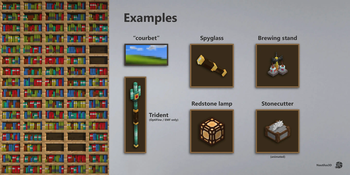
The visual style stays very close to the original game, but everything feels a bit more alive. The pack introduces randomized blocks for things like ores, crops, and bookshelves. Since each bookshelf or patch of wheat doesn't look exactly the same, it helps break up the repetitive patterns you often see in large farms or libraries. You'll also notice some cool animations, like the stonecutter blade actually looking like a moving tool, and some tidy changes to the hotbar and UI that keep things clean.
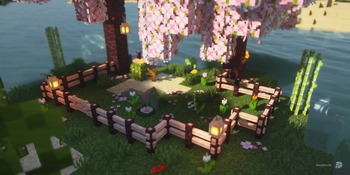
One of the best things here is how the foliage is handled. The bushy leaves look great, but they are optimized so your frame rate doesn't just tank the moment you walk into a forest. If you use Fabric with Sodium, it works perfectly, though you can also use OptiFine if that is your preference for custom entity models like the updated trident. It even supports Respackopts, which is handy if you want to toggle specific parts of the pack on or off depending on your PC's power.
It plays really well with most shaders too. The developers purposely avoided making plants too complex so that shader wind effects don't make the models glitch out or look weird. If you want to find more ways to tweak your game, you can always browse more packs to see what else fits your setup. Overall, Nautilus 3D is a solid choice for a grounded, high-quality look.