Texture Pack // by Luracasmus
Night Vision
Get clear vision in the dark without using potions
- Latest
- Minecraft 26.3 / 26.2
- Updated
- Sep 13, 2026
- Resolution
- —
- Style
- Mod Support
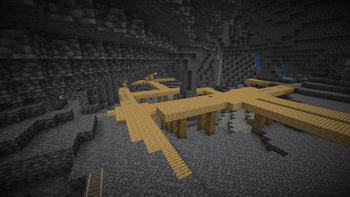
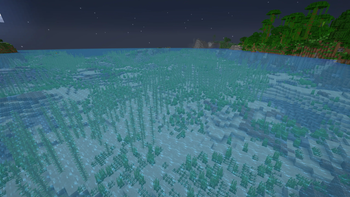
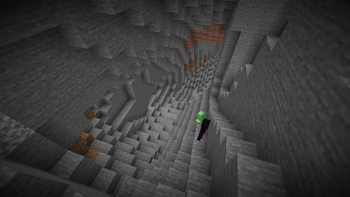
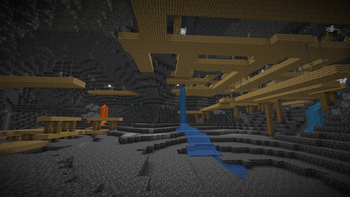
Tired of carrying a stack of torches or brewing endless potions just to see where you are going? The Night Vision resource pack is a simple solution that changes how light works in your world. It basically lets you see everything clearly even when there is zero actual light around you. It is great for mining expeditions where you do not want to stop every five blocks to place a torch, or if you just hate how dark the surface gets during the night cycle.
This is not your typical Minecraft texture packs choice that changes block pixels. Instead, it uses custom lightmaps to effectively remove darkness. The visual style stays exactly like the game you are used to, just much brighter. It is a tiny file, so it won’t bloat your game folders or slow down your loading times. It helps a ton when you are looking for specific ores in massive caves or trying to build a base after the sun goes down.
To get this working, you have to use a tool that supports custom lightmaps. Right now, OptiFine is the most reliable way to use it, though Polytone is another option depending on your game version. Keep in mind that for OptiFine users, you need to turn on Custom Colors and make sure Smooth Lighting and Dynamic Lights are both off, otherwise the effect might not show up correctly. It is a bit specific with settings, but once it is on, you will never have to squint at a dark screen again.
Just a heads up for people playing on servers: some places consider lighting tweaks a bit of an unfair advantage. Always check the rules of the community you are playing in before jumping into a multiplayer world with this active. If you want to see what else is out there, feel free to browse more packs to find other utility or cosmetic upgrades for your game.