Texture Pack // by Oslypsis
Os' Colorful Grasses
Enhance your grassy landscapes with vibrant new designs!
- Latest
- Minecraft 26.1.2
- Updated
- Jul 12, 2026
- Resolution
- —
- Style
- Vanilla+
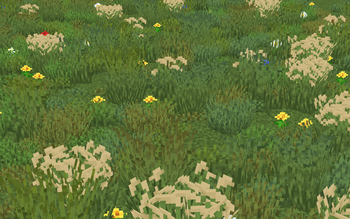
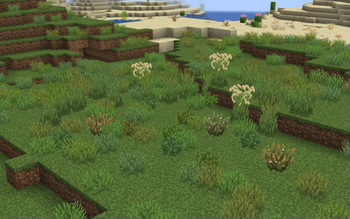
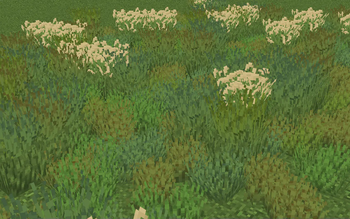
If you're looking to breathe some life into your Minecraft world, Os' Colorful Grasses is a texture pack worth checking out. This pack spices up the standard grass with colorful tips, making your landscapes feel more dynamic and varied. You’ll find options here that include fluffier grass styles, along with variations in height from the usual short and tall grasses to the original X style, enabling you to pick what works best for your game.
A big plus is that performance is considered too. If you find that your game’s running slow, there are options to mix in Mojang's original grass styles to keep things running smoothly. Soon, there will even be a mixed version that perfectly combines different height grasses for an optimized visual experience.
The pack is compatible with several recent versions of Minecraft, including the latest updates all the way up to 1.21.9. So as long as you’re playing on these versions, you shouldn't run into any issues.
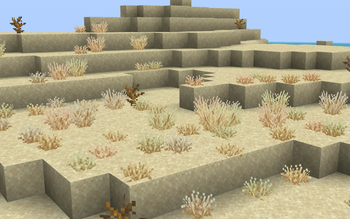
To enhance your gameplay even further, consider exploring Colorful Grasses Plus available on Patreon, which includes even more colorful variants of dry grass and various shrubs. It’s an excellent way to deepen the vibrant aesthetics of your world.
So if you’re ready to upgrade your grassy areas, this texture pack is a fantastic addition to your Minecraft experience. And if you're curious about more options, don’t forget to check out other Minecraft resource packs to find the perfect vibe for your builds.