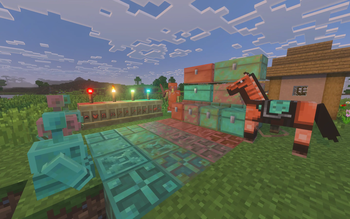
Texture Pack // by THGABS
Programmer Art Fix
Bring the classic blocky look to modern Minecraft versions with the Programmer Art Fix.
- Latest
- Minecraft 26.1.2
- Updated
- Jul 12, 2026
- Resolution
- 16x
- Style
- Vanilla+
If you are one of those players who still uses the classic developer textures but hates how everything new looks out of place, Programmer Art Fix is exactly what you need. While Mojang keeps the original look as a built-in option, they haven't really updated it to match the hundreds of new blocks and items added over the last few years. This resource pack steps in to bridge that gap, making sure your game looks consistent even when you are using the latest features.
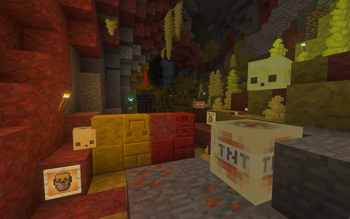
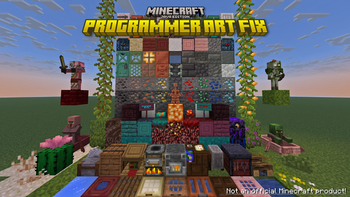
The pack basically functions as a massive patch. It replaces the newer, smoother art style with the grittier, high-contrast look that many of us grew up with. It covers a huge range of assets, from Netherite gear and Copper blocks to the newer wood types like Mangrove, Cherry, and Pale Oak. Instead of seeing a mix of old 2011 textures and modern 1.21 designs, everything feels like it belongs in the same era. It’s a great way to enjoy modern updates while keeping your Minecraft texture packs collection feeling nostalgic.
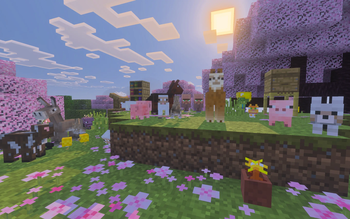
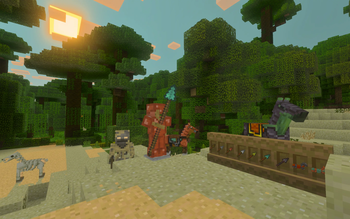
It is not just about blocks either. The mob textures have been overhauled to fit the old vibe. You will see classic-style villagers, pillagers, and even newer variants like the different wolf types or the Bogged, all matches to the legacy color palette. Even the user interface gets some love, with updated icons for status effects like Bad Omen or Darkness, and a more fitting look for the Smithing Table and Beacon menus. It even fixes some long-standing bugs, like the weird extra parts on the Iron Golem texture that have been there for ages.
To get this working right, you just need to make sure this pack sits above the default Programmer Art in your resource pack menu. It has broad support across almost every version from 1.14 up to the most recent snapshots. If you want to see more ways to change up your game's visuals, you can browse more packs to find other styles that fit your playstyle. It’s a simple fix for anyone who thinks the original textures are the only way to play.