

Texture Pack // by RexxStone
Redstone Tweaks
Clearer logic and better visuals for your redstone builds
- Latest
- Minecraft 26.3 / 26.2
- Updated
- Sep 13, 2026
- Resolution
- 16x
- Style
- Tweaks
If you spend a lot of time working with dust and repeaters, you know how hard it can be to keep track of signals. The Redstone Tweaks resource pack is basically a utility kit for players who want to see exactly what their machines are doing. Instead of guessing power levels or checking the F3 menu constantly, this pack brings that hidden info right onto the blocks themselves. It stays true to the 16x resolution of the base game, so it does not feel out of place among other Minecraft texture packs you might be using.
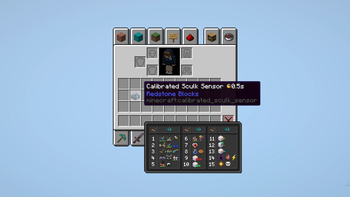
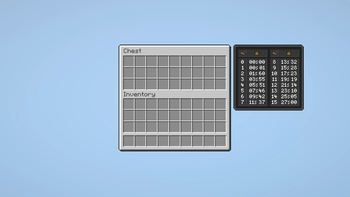
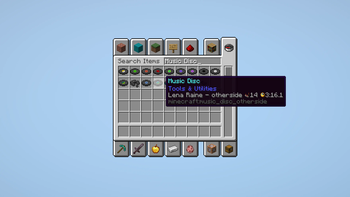
One of the best things about this pack is how it handles block states. It adds clear markings to show which way an observer is facing or the specific power level of a line of dust. Items like hoppers and droppers get visual cues too, making it way faster to troubleshoot a circuit that is acting up. It also includes helpful charts inside inventory screens, so you can see signal strengths at a glance without having to memorize a bunch of technical wiki pages. If you have the ResPackOpts mod, you can even toggle specific parts of the pack on or off.
This pack is built to work with modern versions of the game, including 1.20 and 1.21 updates. Because it uses the standard 16x resolution, it is super lightweight and won't tank your frame rate, even if you have a massive farm running in the background. It is mostly a visual guide that makes the technical side of the game feel more intuitive. You can browse more packs if you want to find something that changes the environment more drastically, but for redstone builders, this is a solid choice. You can find the latest version on Modrinth to start cleaning up your wiring today.