Texture Pack // by illystray
rotrBLOCKS
High detail realism that keeps the original gaming spirit
- Latest
- Minecraft 26.3 / 26.2
- Updated
- Sep 13, 2026
- Resolution
- 128x
- Style
- Realistic
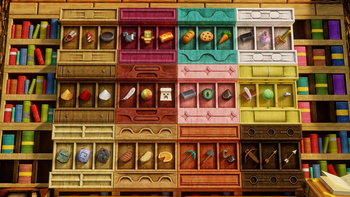
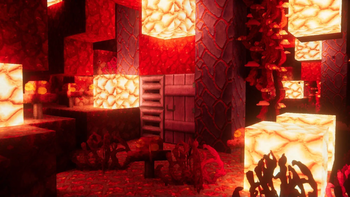
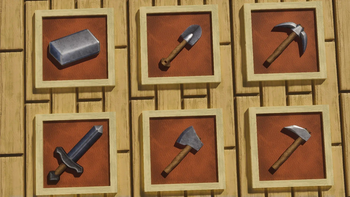
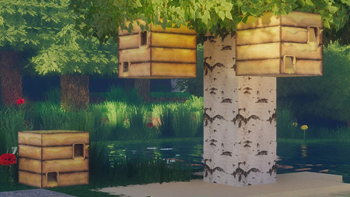
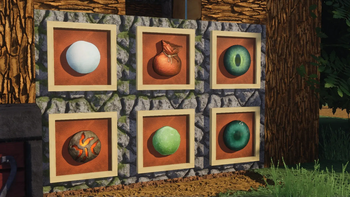
I have always liked the look of default Minecraft, but sometimes the blocks just feel a bit flat when you are trying to build something detailed. That is where rotrBLOCKS comes in. It is a high resolution pack at 128x that adds a ton of depth to the world without making it look like a completely different game. It uses PBR and POM, which basically means if you have a good shader pack, the surfaces of the blocks will actually have height and reflect light properly. It makes bricks look like they have real grout and logs look like they have actual bark texture instead of just being flat squares.
Most Minecraft texture packs that try to go for realism end up looking messy because they stray too far from the original colors. This one is different because it sticks to the vanilla palette. You get the benefits of 3D-looking surfaces and much cleaner lines, but your house will still look like the house you built. The stone feels heavy and cold, while the wood grain looks much more natural and tactile. It is a great balance for people who want a sharp look but do not want to lose that specific charm of the original game pixels.
The pack is updated pretty regularly, usually twice a month, so as the game gets new blocks, this pack generally keeps up. It works across a huge range of versions, starting all the way back from 1.13 and going up to the most recent 1.21 updates. If you use mods like Optifine or Iris with shaders, you will see the biggest difference because of how the light hits the recessed parts of the blocks. It is an easy way to make your world look modern while keeping things familiar. If you want to see how other artists handle this style, you can always browse more packs to find the right fit for your computer setup.
Overall, it is a solid choice if you have a decent PC that can handle 128x textures. It is clean, it looks great with lighting effects, and it does not break the visual rules of the world. Just drop it in and you will notice the difference immediately in the shadows and fine details of your favorite builds.