Texture Pack // by Motschen
Round Trees
Smooth curves for your Minecraft forests
- Latest
- Minecraft 26.3 / 26.2
- Updated
- Sep 13, 2026
- Resolution
- —
- Style
- Vanilla+
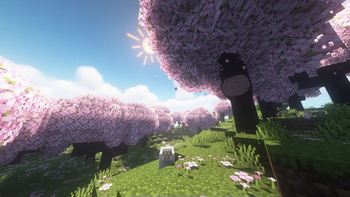
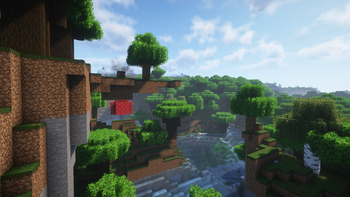
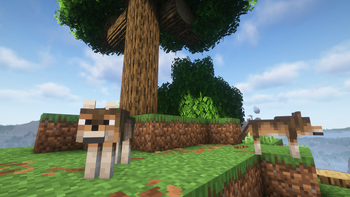
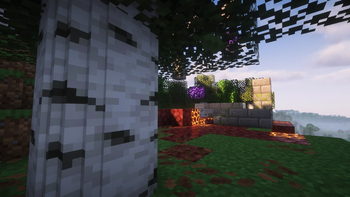
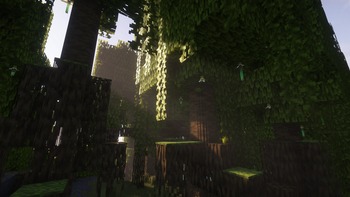
It always felt a little strange that oak and birch trunks in the game are perfectly square when everything in nature is usually circular. The Round Trees pack changes that by smoothing out those sharp corners on log blocks. It makes the woods look a lot more organic and natural while keeping the colors and textures exactly how you expect them to be. It is a subtle change that makes a huge difference when you are just walking through a thick forest.
This mod works by changing the 3D models for the trees rather than just swapping out a flat texture. Since it focuses on the shape of the wood, you can use these vanilla style texture packs alongside it to change the colors or bark details. Just make sure this pack is at the very top of your list in the settings so the new round models take priority over the default blocks.
One of the best things about this pack is how much work went into making it work with other content. It does not just fix the basic trees like oak, dark oak, or spruce. It actually has built-in support for a massive list of mods. Whether you are playing with Biomes O' Plenty, The Aether, or even Tech Reborn, the logs in those biomes will follow the same curved design. It even works with various decor and furniture mods that add custom wood types.
If you want to make your world look even more detailed, it pairs really well with packs that add fluffy or bushy leaves. If you enjoy how much better the wilderness looks with this installed, you should browse more packs to find other ways to tweak the environment. It is a small download but it definitely makes the game feel a bit more grounded.