Texture Pack // by amongstreality
Unique Dark
A custom dark themed interface for vanilla and modded Minecraft machines.
- Latest
- Minecraft 26.3 / 26.2
- Updated
- Sep 13, 2026
- Resolution
- 16x
- Style
- Gameplay
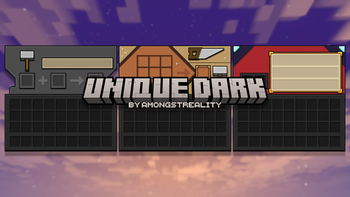
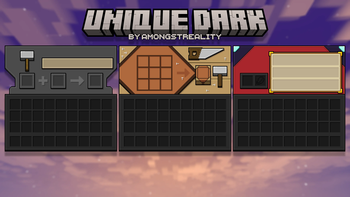
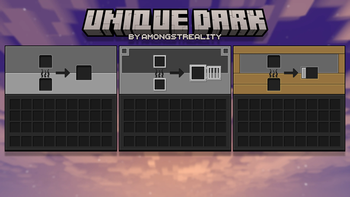
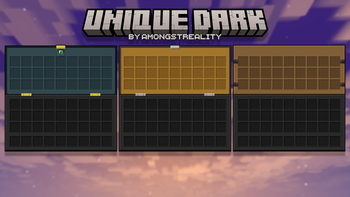
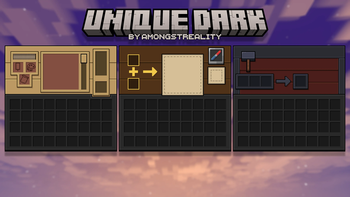
Playing at night can be tough on your eyes when you suddenly open a bright grey chest or crafting table. The Unique Dark resource pack fixes that by overhauling the user interface to be much easier on the sight. It is not just a simple color swap either, as many of the functional blocks in the game get their own specific visual identity within the menus. This makes things feel a bit more organized while you are working in your base.
Most Minecraft texture packs aim to change the whole world, but this one focuses specifically on the gameplay screens you see every day. The lite version covers the basics like furnaces, anvils, and standard chests. If you look at the interface for a villager or an enchantment table, you will notice the dark aesthetic carries over nicely. It keeps the standard 16x pixel art style so it does not feel out of place with the rest of the game assets.
One of the best things about this pack is how much it covers outside of the standard game. It includes dark mode support for nearly 80 different mods, which is great if you play with technical or magic-based modpacks. It handles the screens for various storage systems and advanced machinery so you do not get blinded by a white screen when switching between a modded machine and a vanilla furnace. To get the most out of the specific variations and some advanced menu visuals, you might want to use OptiGUI, though it is not strictly required for the core functionality.
Since it supports versions ranging from 1.16 all the way up to the newest releases, you can probably drop this into your folder no matter what version you prefer. It is a solid choice for anyone who finds the default menus a bit too harsh for long sessions. You can browse more packs if you are looking for something to change the terrain, but for better menus, this is a great starting point.